
 ChatGPT
 Perplexity
 Claude
 Gemini
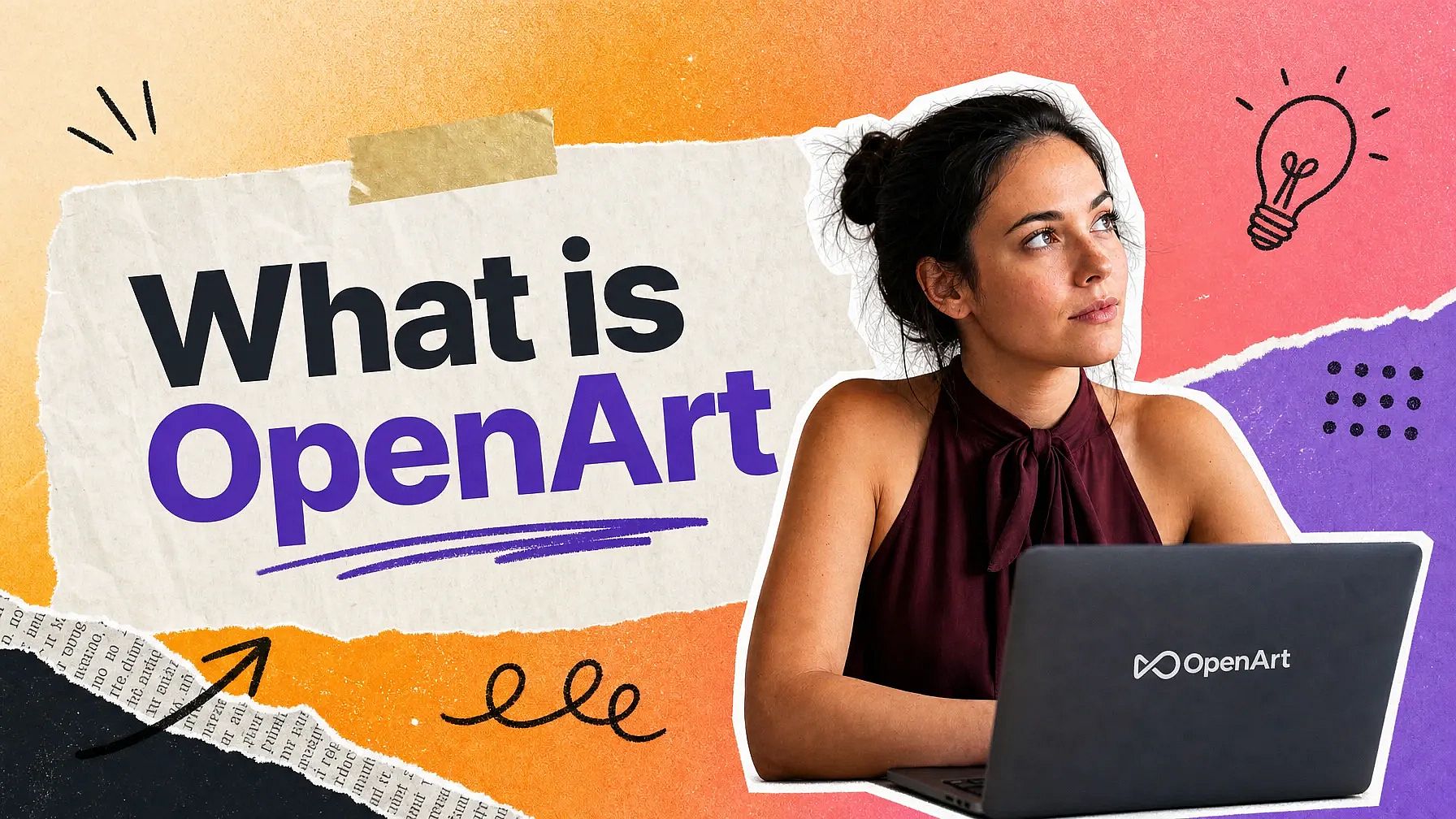
OpenArt is an all-in-one AI creation platform for images, video, and audio. You make new content from a text prompt or a reference image, and you edit the photos and videos you already have. OpenArt runs leading AI models such as Seedance 2.5, Kling 4.0, GPT Image 2.6, and Nano Banana Pro in one account.
So what is OpenArt, exactly? This guide explains how OpenArt works, what you can make with it, which AI models it runs, what it costs, and who uses it.
Key takeaways
- OpenArt is an all-in-one AI creation platform that makes images, video, and audio from text prompts and references.
- OpenArt runs leading AI models on one account, including Seedance 2.5, Kling 4.0, Veo 3.1, GPT Image 2.6, and Nano Banana Pro.
- In Director mode, OpenArt builds a multi-scene video up to 5 minutes long from one idea.
- OpenArt makes the sound too, including voice-overs, original music, and sound effects.
- Marketing teams, small business owners, agencies, and filmmakers use OpenArt for ads, brand content, and films.
What is OpenArt?
OpenArt is a generative AI creative suite that makes images, video, and audio from text prompts, reference photos, and video clips you already have. You describe what you want in plain words, and OpenArt generates it. You keep editing on the same platform until the result looks right, then you download the file.
OpenArt covers the whole creative job in one place. You generate a picture, change part of it, turn it into a video, and add a voice-over and a music track. You can also extend the video, raise the resolution, and dub the video into another language without extra software.
OpenArt makes three kinds of output under one account. Images cover still pictures of any kind. Video covers single clips and full multi-scene projects, and audio covers voice-overs, music, and sound effects.
OpenArt is an independent AI platform that integrates leading image, video, and audio models. The models come from makers such as Google, OpenAI, ByteDance, Kuaishou, Alibaba, and Black Forest Labs. OpenArt adds its own tools on top, such as Director mode, Smart Shot, OpenArt Characters, and Brand Kit.
OpenArt runs on credits. Every paid plan comes with a monthly credit balance, and each generation costs credits based on the model you pick and the length or size of what you make. OpenArt shows the exact credit cost before you click Generate, and OpenArt returns your credits when a generation fails.
OpenArt works in a web browser, so you have no software to install. You sign up, pick a tool, and start generating.
What does OpenArt do?
OpenArt gives you a separate tool for each creative job. Every OpenArt tool has its own page in the app, and each one starts from a simple input such as a text prompt, a photo, or a video file.
| What you want to make | The OpenArt tool | What you give it |
|---|---|---|
| A picture from an idea | Create Image | A text prompt |
| A change to a photo you already have | AI photo editor | A photo and a description of the change |
| A short looping GIF | Create Image with GPT Image 2.6 | A text prompt or a still image |
| Separate layers from one image | Extract Layers | One image |
| A video from an idea | Text to Video | A text prompt |
| A video from a photo you already have | Image to Video | One image, or a start image and an end image |
| A video with several cuts in it | Smart Shot | A text prompt |
| A video up to 5 minutes long | Director mode | Your idea in plain words, plus any images, music, or voices |
| A product launch video | Launch Video in Director mode | A web page link, or your logo and screenshots |
| A video from a web page | URL to Video | A link and a written instruction |
| A new look for footage you shot | OpenArt VFX | A video file |
| A video that speaks another language | Dub Video | A video with speech in it |
| A spoken voice-over | Create voice-over | A script |
| An original music track | Create Music | A description of the music |
| A sound effect | Create Sound Effects | A description of the sound |
| The same character in every scene | OpenArt Characters | A reference image or a description of the character |
| Your brand colors on everything you make | Brand Kit | Your logo, colors, fonts, and rules |
| A 3D world you can move through | OpenArt Worlds | Up to 4 images or a text prompt |
| An IP check before you publish | IP Safety Check | Images or videos, up to 32 files in one check |
Build a full video in Director mode
In Director mode, OpenArt builds a video with many scenes as one project, up to 5 minutes long. You describe the story you want in plain words. OpenArt plans the scenes, builds a storyboard, and makes the finished video.
OpenArt keeps the characters, faces, places, voices, and products the same from the first scene of a Director mode video to the last. You can add your own images, music, voices, videos, saved characters, and saved worlds. You change anything by typing a note in the chat, from one frame to the whole video.
Five minutes is the limit for a whole Director mode project. Each clip inside the project follows the length limit of the AI video model that makes it.
Director mode shows your project in two views. The Scenes view shows the storyboard, and the Timeline view shows the finished video on a timeline. In the Timeline view, you add a transition between two scenes and fade your music or voice-over in and out.
The Director mode timeline has 7 transition types: Dissolve, Black Fade, Slide, Clock Wipe, Wipe, Iris, and Zoom. You set how long each transition runs, or you apply one transition to every scene change at once.
Music Video turns a song into a video in Director mode. You upload your song and pick the Narrative, Lyrics Video, or Visualizer style. OpenArt makes a music video for that song.
Ad Remake rebuilds an ad you upload in Director mode. You upload any ad and say what to change. OpenArt makes new scenes with your product, your characters, your language, and your style.
Launch Video turns a product or app launch into a video in Director mode. You add a web page link, your logo, and up to 12 screenshots, slides, or marketing graphics. Captions come with the launch video, and you can edit them.
Director mode also takes a web link or a dub request in your prompt. Paste a link and tell OpenArt what video to make from it. Ask for a dub, and Dub Video changes the language of your finished video.
Small business owners use Director mode for product ads, UGC ads, and brand ads, because an ad needs a few scenes and a script. Filmmakers use Director mode for short films, trailers, and series episodes.
Animate a photo or product shot into a video
Image to Video takes one picture and turns it into a moving video. You upload the image and describe the motion you want. OpenArt's AI video generator makes a video that keeps the subject from your photo.
Image to Video does the job marketing teams need most often. You already have a product photo from a real photo shoot. Image to Video puts that exact product into motion without booking the shoot again.
A photo of a bottle becomes a slow turn around the bottle. A photo of a finished dish becomes a video with steam rising off the plate. The product in the video is the product in your photo.
Most video models on OpenArt also take a start image and an end image. OpenArt makes the whole video between those two pictures, so the opening and closing moments look exactly the way you want.
Some video models on OpenArt take reference images, video clips, and audio clips as well. Seedance 2.5 takes up to 30 images, 10 videos, and 10 audio clips in one request. A character, a product, and a voice can all stay the same across your clips.
Performance marketers and agencies get the most out of Image to Video. Most brands already have a photo library, and Image to Video turns those photos into product videos and ad versions for testing.
Make a video from a text prompt
Text to Video makes a video from a written description. You type what you want to see, pick a model, set the length and the aspect ratio, and generate.
Video length on OpenArt depends on the model you choose. Many models make clips up to 15 seconds long. Seedance 2.5, Kling 4.0, and Wan 3.0 make clips up to 30 seconds long in one generation.
OpenArt's AI video generator includes Seedance 2.5, Kling 4.0, Veo 3.1, Wan 3.0, Gemini Omni 1.2 Flash, MiniMax H3, Grok Imagine 1.5, FLUX 3 Video, and PixVerse V6. You pick the model on the same screen where you write the prompt. You can try one idea on two models and compare the results.
The AI video generator on OpenArt gives you simple settings for every clip. You pick the aspect ratio, the length, Fast or Quality output, and the resolution, which goes up to 4K on some models. You can also turn on ambient sound and choose a camera move such as zoom in, pan, orbit 360, or crane shot.
Many video models on OpenArt make the sound together with the video. Seedance 2.5, Veo 3.1, Wan 3.0, and Grok Imagine 1.5 make the audio in the same generation as the picture. On these models, you write a voice line in quotes in your prompt.
Seedance 2.5 Draft lets you preview a video before you pay for full quality. Seedance 2.5 Draft makes a 480p draft first. You upgrade the version you like to 1080p or 4K, so you only pay for high-quality video when you know it looks right.
Smart Shot makes one video with several cuts in it. Smart Shot first writes a Shot Plan with storyboard frames, a camera plan, and lighting notes, and you can change the plan with a text prompt. Then Smart Shot makes a video of about 3 to 5 shots that runs 10 to 20 seconds, with the same characters and location in every shot.
Make and edit images
Create Image makes a picture from a text prompt. You can also work from an image. Upload a picture and OpenArt writes a prompt from it, or add a reference image next to your prompt so the result looks like that reference.
OpenArt's AI image generator includes GPT Image 2.6, Nano Banana Pro, Nano Banana 2.1, Seedream 5.5, FLUX 3 Image, Ideogram 4.5, and Recraft V4.1. You make up to 8 images in one run, at up to 4K on some models. You can also run one prompt on up to 4 models at once and compare the results.
GPT Image 2.6 makes more than still pictures on OpenArt. GPT Image 2.6 turns a prompt or a still image into a short looping GIF, and it makes SVG files from a text prompt. Pick Flare mode for fast drafts or Sunburst mode for the best quality.
OpenArt's AI photo editor changes a picture you already have, and it gives you three ways to ask. Describe mode takes a written instruction for the whole image. Area Edit mode changes only the spot you highlight, and Annotate mode lets you draw arrows, boxes, and brush marks to show exactly what you mean.
Image Variations makes up to 8 versions of one picture in a single run. A creativity slider in Image Variations controls how far each version moves from the original.
Image Upscale raises the resolution of a picture by up to 11 times and cleans up blur. Image Upscale has three modes: Precise, Generative, and Creative. A face enhancement toggle adds two sliders, face strength and face creativity, for portraits.
Expand Image stretches a picture past its original edges. You pick a new shape, including presets for Instagram, YouTube, and Facebook, and OpenArt fills the new space. Your original pixels stay exactly the same.
Extract Layers splits one image into separate see-through layers, such as the background, the product, the people, and the text. You set a limit of 2 to 16 layers, and each layer saves as a transparent PNG. You replace, remove, or reuse one piece without rebuilding the whole image.
OpenArt has more image tools for specific jobs. Multi-View makes 9 different angles of one image. Camera Angle Control makes one new angle that you set yourself, and Face Swap puts a face from one photo onto another.
Create Depth Map turns one image or one video into a depth map. A depth map is a black-and-white picture that shows how near or far each part of a scene is. You download the depth map as a file.
Make music, voice-overs, and sound effects
OpenArt makes audio as well as images and video. Five audio tools cover the sound a finished video needs. Each OpenArt audio tool works like the image and video tools: you describe what you want, and OpenArt makes it.
Create voice-over turns a written script into natural-sounding speech. You paste a script, pick a voice, and add directions in square brackets, such as [whispering]. Create voice-over includes the voice models Fish Audio Drama 3, Eleven v4, and Eleven v4 Turbo.
Create Music makes an original track from a text description with Google's Lyria 3 model. You describe the mood, the instruments, and the speed. You choose a 30-second Quick Clip or a Full Song of up to about 3 minutes, with your own lyrics or lyrics OpenArt writes for you.
Create Music also gives you control of the BPM, the intensity, and the key. Each control starts on Auto, so you can leave all three alone or set them yourself.
Create Sound Effects makes royalty-free sound effects from a description. Ask for a door creaking, a crowd cheering, or rain on a window. OpenArt gives you that sound as a file you can use.
Voice Clone builds a reusable voice from a short audio sample you upload. You put new scripts through that voice and get the same voice back every time. Only clone a voice you have permission to use.
Voice Changer turns a voice recording into a different style and tone. You start with audio you already have and get the same words in a different voice.
OpenArt also adds sound to videos you already have. Add Sound Effect puts the sounds you describe onto any video. Mirelo SFX 2.0 keeps the voices in your video, removes the background music, and makes new sound effects.
Audio matters for almost every finished video. An ad needs a voice-over on top of the product, a series episode needs voices and music, and a music video starts with the song. OpenArt makes that sound in the same account as your images and videos.
Keep the same character, brand, and world across everything
OpenArt Characters keeps one person looking like the same person in every image and every scene. You build the character once from a reference image, a text prompt, or presets. Then you place that character into new prompts, new places, and new videos.
OpenArt Characters keeps a face recognizable across a whole series or ad campaign. Several saved characters can appear in one scene, and each character keeps its own look. You reuse saved characters in Create Image, the video tools, Smart Shot, and Director mode.
Brand Kit saves your brand identity once and applies it to every generation in a project. A Brand Kit holds six things: your logo, your color palette with exact hex codes, your typography, your brand assets, your style references, and your brand rules. Brand assets are items such as product photos and packaging, and brand rules are a plain list of what to always do and never do.
Brand Kit works at the project level. You set your brand identity once, and every prompt in that project picks it up. Brand Kit applies to images made with GPT Image 2.6 in Create Image and to videos made with Seedance 2.0 in Text to Video.
Brand Kit splits your kit across two layers. Your color palette, typography, and brand rules go into the text layer and reach every generation. Your logo, brand assets, and style references share the image reference slots that the model gives you.
Brand Kit lets you choose what to protect first when reference slots run short. You pick the overall style, the product, the mascot, the logo, or the color palette, and Brand Kit tells you what it dropped. The same saved kit applies to your images and your videos, so both come out matching.
OpenArt Worlds turns up to 4 images or a text prompt into a 3D world you can move through. You find the exact camera angle, place your characters and objects, and capture still pictures from anywhere inside the world. You use those pictures to make images and videos, and you reuse the same world in other projects.
MCP & CLI - Connect OpenArt to Claude, ChatGPT, Cursor, and other AI agents
The OpenArt MCP and CLI let you make OpenArt images and videos from inside the AI tools you already use. You ask ChatGPT or Claude for a picture or a video. OpenArt makes it and sends it back into that conversation.
Setup for the OpenArt MCP differs by tool. ChatGPT and Kimi install an OpenArt plugin. Claude and Cursor take the OpenArt connector URL, which you paste into their settings.
One OpenArt account and one credit balance cover every connected tool. You sign in once with your OpenArt account, and that sign-in is the whole setup. Everything you make through the OpenArt MCP saves to your OpenArt library.
The OpenArt MCP comes with ready-made skills for ad videos. Each skill handles one job, such as a UGC ad, a product listing video, or a TV commercial. The AI tool asks for what it needs, such as product photos and a script, and then makes the video.
Smart Shot works through the OpenArt MCP too. You preview the Shot Plan first, or you plan and make the video in one request.
The OpenArt CLI is a command-line tool for macOS, Linux, and Windows. You install the CLI, sign in, and make images and videos by typing commands. The OpenArt CLI fits coding tools such as Claude Code and Codex, and it suits batch creation.
Performance marketers, agencies, and in-house brand teams get the most out of the OpenArt MCP. The OpenArt MCP puts image and video generation inside the chat tools those teams already work in.
Use OpenArt inside After Effects
The OpenArt plugin for After Effects makes AI images and videos inside Adobe After Effects. You type a prompt in the OpenArt panel and add image, video, or audio references. One click adds the result to your After Effects timeline as a regular layer.
The OpenArt plugin for After Effects uses your own footage as a reference. You drag layers or compositions into the OpenArt panel, and your trims, masks, effects, and speed changes come along. The plugin works on macOS and Windows with After Effects 2025 or later, and it uses the same credit balance as the OpenArt website.
Change footage you already shot with VFX
OpenArt VFX transforms video you already shot. OpenArt VFX changes the background, the lighting and mood, or one part of the picture. Your subject's movement and timing stay exactly as you filmed them.
OpenArt VFX replaces the background behind your subject. You pick a preset, upload a reference image, or generate one. The person in your video stays exactly as they performed while the room around them becomes somewhere else.
OpenArt VFX changes the lighting, the color, and the mood of a whole video. Ask for golden hour, moonlight, noir, horror, fantasy, anime, or sci-fi. OpenArt VFX applies that look across the full picture while the performance stays the same.
OpenArt VFX also changes one part of the picture and keeps the rest. You paint over the area you want to keep, and OpenArt VFX changes everything outside the painted area. Use this masked mode to swap a prop, change clothing, or change part of a set.
OpenArt VFX takes MP4 and MOV files and returns video at 720p or 1080p. Most OpenArt VFX jobs finish in 3 to 7 minutes, and they run in the background while you work on something else.
Edit, extend, and dub videos you already have
OpenArt has separate video tools for the changes a finished clip often needs. Edit Video is an AI video editor for clips you already have. Extend Video continues any clip by up to 10 seconds, and Upscale Video raises the resolution up to 4K and fixes blur.
Dub Video dubs a finished video into other languages. Dub Video carries the speaker's emotion, tone, and timing into the new language, and it moves the speaker's mouth to match the new words. Everything else in the video stays the same.
OpenArt changes who and what appears in a video too. Replace Character swaps a character in a video for another one, including a character from your OpenArt Characters library. Restyle Video applies a preset style such as anime, claymation, or cyberpunk.
OpenArt handles movement and speech in a video as well. Motion Sync copies the movements from one video onto a new one. Lip Sync makes a character's mouth match the words you type, and the OmniHuman 2.0 model turns one image and one audio track into a talking video.
Work in natural conversation with Chat Mode
Chat Mode brings OpenArt's creative tools into one conversation. You describe what you want in plain words. Chat Mode writes the prompt, picks the model and the tool, chooses the settings, and generates the result.
Chat Mode handles several results in one request. Ask for a set of images, a video, and a music track in the same message, and Chat Mode makes all of them. Paste a URL, and Chat Mode reads that web page as a reference.
Chat Mode also changes one result at a time. Type the change you want, and Chat Mode applies it to that single image or video. Every Chat Mode result saves to your asset library, in the folder you picked.
Chatting in Chat Mode costs nothing. Credits apply when you generate, and Chat Mode shows the cost first. The full tools menu stays available for anything you want to set up yourself, and longer video projects continue in Director mode.
Which AI models does OpenArt run?
OpenArt runs leading image, video, and audio models from Google, OpenAI, ByteDance, Kuaishou, Alibaba, xAI, MiniMax, Black Forest Labs, and other makers. One OpenArt account and one credit balance cover every model. OpenArt adds AI models soon after their makers release them.
Video models on OpenArt
| Video model | Maker | What it does on OpenArt |
|---|---|---|
| Seedance 2.5 | ByteDance | Seedance 2.5 makes clips up to 30 seconds long at up to 4K, with synced audio, voice lines, and lip sync. |
| Seedance 2.5 Flash | ByteDance | Seedance 2.5 Flash is the faster, lower-cost version, for clips up to 30 seconds at 480p or 720p. |
| Seedance 2.5 Draft | ByteDance | Seedance 2.5 Draft makes a 480p preview first, then upgrades the version you like to 1080p or 4K. |
| Seedance 2.0 | ByteDance | Seedance 2.0 makes realistic people and animals with synced audio, and it is the video model that works with Brand Kit. |
| Kling 4.0 | Kuaishou | Kling 4.0 makes clips from 3 to 30 seconds at 720p or 1080p, with start, middle, and end frames. |
| Kling 4.0 Flash | Kuaishou | Kling 4.0 Flash is the faster, lower-cost version, for clips up to 20 seconds at 720p. |
| Kling 3.0 | Kuaishou | Kling 3.0 makes 3 to 15-second clips from 720p to 4K, with synced audio and several shots in one clip. |
| Veo 3.1 | Veo 3.1 makes high-detail video with native audio at up to 4K, in clips of 4, 6, or 8 seconds. | |
| Gemini Omni 1.2 Flash | Gemini Omni 1.2 Flash makes clips up to 15 seconds long, edits videos, and upscales videos to 1080p or 4K. | |
| Wan 3.0 | Alibaba | Wan 3.0 makes a 30-second video in one generation at up to 1080p, with native audio. |
| MiniMax H3 | MiniMax | MiniMax H3 makes 5 to 15-second clips at 2K with realistic motion. |
| Grok Imagine 1.5 | xAI | Grok Imagine 1.5 makes fast 1080p video with synced audio, in clips from 1 to 15 seconds. |
| FLUX 3 Video | Black Forest Labs | FLUX 3 Video makes 5 to 20-second clips with native audio. |
| PixVerse V6 | PixVerse | PixVerse V6 makes video with stable, natural camera motion. |
OpenArt's video models also include Kling Omni, Wan 2.7, MiniMax H3 Max, LTX 2.3, and Vidu Q3.
Image models on OpenArt
| Image model | Maker | What it does on OpenArt |
|---|---|---|
| GPT Image 2.6 | OpenAI | GPT Image 2.6 makes and edits images at 1K, 2K, or 4K, with transparent backgrounds, short looping GIFs, and SVGs from a text prompt. |
| GPT Image 2 | OpenAI | GPT Image 2 makes product photos, realistic people, and layouts with small text and icons. |
| Nano Banana Pro | Nano Banana Pro is the in-image text specialist, with 4K output, up to 14 reference images, and up to 5 consistent people. | |
| Nano Banana 2.1 | Nano Banana 2.1 makes fast, realistic images up to 4K, with accurate in-image text and up to 14 reference images. | |
| Seedream 5.5 | ByteDance | Seedream 5.5 makes precise edits that hold up round after round, and it makes transparent backgrounds. |
| Seedream 5.0 Pro | ByteDance | Seedream 5.0 Pro makes anime, illustration, and poster layouts, and it blends up to 10 reference images. |
| FLUX 3 Image | Black Forest Labs | FLUX 3 Image makes images up to 4K and combines up to 10 reference images in one edit. |
| Ideogram 4.5 | Ideogram | Ideogram 4.5 makes images with accurate text, such as signs and menus, and makes precise edits. |
| Recraft V4 and V4.1 | Recraft | Recraft V4.1 makes design-style images and vector files that scale to any size. |
| Grok Imagine | xAI | Grok Imagine edits images by instruction, including region edits, background removal, and resizing to any aspect ratio. |
| Wan 2.7 Image | Alibaba | Wan 2.7 Image gives you precise control of faces and in-image text at up to 4K. |
OpenArt's image models also include Nano Banana 2, Nano Banana 2 Lite, Seedream 5.0 Lite, Seedream 5.0 Flash, Seedream 4.5, and Kling 3.0.
Audio models on OpenArt
OpenArt's audio tools run Google's Lyria 3 for music. Fish Audio Drama 3, Eleven v4, and Eleven v4 Turbo make voice-overs on OpenArt, and Mirelo SFX 2.0 makes sound effects for video.
Who uses OpenArt? - The ideal users
OpenArt serves marketing teams, small business owners, agencies, filmmakers, and social media creators.
Performance marketers making ads for paid campaigns
Performance marketers, creative strategists, and ad designers use OpenArt to make ad content for paid campaigns. They make ad concepts, different opening hooks, and many versions of one ad for testing.
Image to Video, Ad Remake, URL to Video, and the OpenArt MCP fit performance marketing best. A performance marketer starts from one product photo and makes video versions in several aspect ratios. OpenArt shows the credit cost of each version first.
Brand and creative teams making campaign content
Brand designers, video editors, and creative directors use OpenArt for brand campaigns, product visuals, marketing videos, and social content. Brand and creative teams need control and consistency, because their work goes through brand review.
Brand Kit, OpenArt Characters, and the AI photo editor fit brand and creative teams best. A brand team loads its real hex codes and brand rules into Brand Kit once. Every GPT Image 2.6 image in that project then follows them.
Small business owners making their own ads
Small business owners use OpenArt to make product visuals, promotional videos, and regular social content. A cleaning company, a clothing label, a restaurant, and a software company all make ads in OpenArt without hiring an agency.
Director mode fits small business ads, because an ad needs a few scenes and a script. Many small business owners start with Create Image for product pictures and move on to video from there.
Marketing agencies producing for clients
Marketing agencies use OpenArt to make content across many client accounts at once. Agency teams start from each client's existing brand photos and make videos and ad versions from them.
Agencies keep each client's work separate in OpenArt. Brand Kits stay inside their own project, so one client's colors and rules stay apart from another's. Agencies that run ads in several languages use Dub Video.
Filmmakers and studios planning and producing scenes
Filmmakers, directors, and storyboard artists use OpenArt to plan shots, try ideas, and produce scenes with the same characters and worlds. Digital-first and micro-drama studios use OpenArt to make short episodes at volume.
Director mode, OpenArt Characters, OpenArt Worlds, Smart Shot, and OpenArt VFX fit film work best. Commercial rights apply on eligible paid plans, so a production can plan its usage rights from the start.
Social media creators making content for their own channels
Social media creators use OpenArt to make series episodes, music videos, and posts for their own channels. In Director mode, OpenArt turns a song into a music video. OpenArt Characters keeps a virtual persona's face the same in every post.
Creators who make paid work for brands use OpenArt the way marketers do. They make UGC ads and product videos with Image to Video and Director mode.
How is OpenArt different?
OpenArt puts leading AI models on one subscription. You try the same prompt on Seedance 2.5, Kling 4.0, and Gemini Omni 1.2 from the same screen, and one credit balance covers all three. Comparing three models costs you one subscription.
OpenArt covers image, video, and audio on that one subscription. A finished video needs a picture, movement, a voice, and music, and all four come out of one OpenArt account. One OpenArt plan covers work that often takes three or four separate subscriptions.
OpenArt keeps a character, a brand, and a world the same across a whole set of work. OpenArt Characters keeps a face recognizable across scenes and models, and OpenArt Worlds gives you the same location every time. Brand Kit keeps your colors, fonts, and rules on every GPT Image 2.6 image and Seedance 2.0 video in a project.
OpenArt shows you what a generation costs before you run it. You see the credit cost on screen, decide, and then spend. Knowing the price first lets you plan a long project and spread your credits across every scene.
OpenArt lets you finish the work in one place. Generating, editing, upscaling, extending, and dubbing all happen in the same account. A finished video leaves OpenArt ready to publish.
OpenArt works inside the tools you already use. The OpenArt MCP and CLI bring image and video generation into ChatGPT, Claude, Cursor, and Kimi. The OpenArt plugin brings it into After Effects.
OpenArt helps you check your work before it ships. IP Safety Check looks for IP matches in your images and videos, and it gives each file a Detected or Undetected result.
What does OpenArt cost?
OpenArt has four paid plans for individuals, each with a monthly credit balance. Credits pay for generations, and the cost of each generation depends on the model and the length or size of what you make.
| Plan | Price per month, billed monthly | Price per month, billed annually | Credits per month | Generations you can run at once |
|---|---|---|---|---|
| Starter | $14 | $13 | 4,000 | 8 |
| Plus | $34 | $27 | 12,000 | 16 |
| Pro | $56 | $44 | 24,000 | 32 |
| Wonder | $240 | $175 | 106,000 | 32 |
Annual billing lowers the monthly price on every OpenArt plan. The saving is largest on the Wonder plan, at 27%. Your monthly credits reset at the start of each billing month and do not roll over.
OpenArt sells an Extra Credit add-on for $15 a month, which adds 5,000 credits a month. The Extra Credit add-on is available on the Plus plan and above.
OpenArt prices are current as of November 2026. Check the OpenArt pricing page for the live figures.
Is OpenArt free?
You can try some features for free. New accounts get 40 free credits, no credit card required. Every generation uses credits, and the exact cost shows before you click Generate.
To keep creating, choose a paid plan. You can compare plans, prices and annual billing options on the pricing page. Commercial use requires the Plus plan or above.
Plans renew automatically, monthly credits do not roll over, and extra credits are only sold as add-ons to a paid plan. You can cancel any time from Profile, then Subscriptions. Cancel at least 5 days before your renewal date to avoid the next charge, and you keep access until the end of the billing period.
Completed generations and active subscription periods are generally not refundable. Full billing, cancellation and refund details are in the Help Center.
Can you use OpenArt commercially?
Yes. Commercial rights apply on eligible paid plans. On those plans, you can use the images and videos you make in OpenArt for client campaigns, paid ads, and products you sell.
IP Safety Check checks your images and videos for IP matches before they ship. IP Safety Check is open to paid users, and it takes files made in OpenArt or anywhere else, up to 32 files in one check. Each file gets a Detected or Undetected result and a PDF report.
OpenArt also has an IP check inside the OpenArt library for images you already made. The library IP check looks for protected brands, logos, and well-known people. OpenArt's guide to AI copyright infringement walks through both IP checks.
Both OpenArt IP checks are detection tools. They warn you early about a possible match, so you can fix the image or video before it goes out. Keep your normal legal review as the final step.
OpenArt Enterprise plans can include one indemnification agreement that covers every model on the platform. An indemnification agreement is a contract that says who covers the legal costs if a claim comes up. One agreement across all models keeps your legal review down to a single document.
Does OpenArt work for teams and enterprises?
OpenArt has a Business plan for teams of up to 50 people. A Business team shares one credit pool and pays for the credits it uses, with no charge per seat. The Business plan includes Admin, Editor, and Viewer roles, credit limit controls, and project permissions.
OpenArt Enterprise adds more team controls for larger companies. Enterprise plans include unlimited seats, so you add everyone who needs access without counting licenses.
Enterprise teams on OpenArt share one credit pool, and those credits never expire and never reset monthly. A campaign that is busy one month and quiet the next uses the same balance.
OpenArt Enterprise administrators control spending and access. You set spend caps per user and per project, and you choose which models your team can use. You give each person an Admin, Editor, or Viewer role, and the team shares projects, assets, and labels.
OpenArt Enterprise includes SAML single sign-on, invoice billing, and a dedicated account manager. OpenArt never trains on customer data, and Enterprise teams get control over where their data goes.
How do you get started with OpenArt?
- Create your account. Go to openart.ai and sign up. Your credits land in your account right away.
- Pick the tool that matches your job. Choose Create Image for a picture, Text to Video or Image to Video for a clip, or Director mode for a longer video with many scenes. Choose Chat Mode to describe the whole job in plain words.
- Describe what you want and generate. Type your prompt, pick a model, and set your aspect ratio, length, and other settings. OpenArt shows the credit cost before you click Generate.
- Refine and download. Change your prompt and generate again, or make variations of a result you like. Download the files you want, or share a result straight to Reddit, LinkedIn, X, or WhatsApp.
Frequently asked questions about OpenArt
What is OpenArt used for?
OpenArt is used for making images, videos, and audio with AI. People make ads, product videos, brand content, social posts, short films, series episodes, and music videos with OpenArt.
Where do OpenArt's AI models come from?
OpenArt is an independent AI platform that integrates leading image, video, and audio models from makers such as Google, OpenAI, ByteDance, Kuaishou, Alibaba, xAI, and Black Forest Labs. OpenArt's video models include Seedance 2.5, Kling 4.0, and Veo 3.1, and its image models include GPT Image 2.6, Nano Banana Pro, and Seedream 5.5. One subscription and one credit balance cover all of them.
Does OpenArt make images, video, and audio?
Yes, OpenArt makes all three, and they connect to each other. You make an image in Create Image, animate that same image in Image to Video, and add a voice-over and a music track without leaving your account.
Can OpenArt generate music and voice-overs?
Yes. Create voice-over turns a script into natural-sounding speech, Create Music makes an original track from a text description, and Create Sound Effects makes royalty-free sound effects. Voice Clone and Voice Changer work with voices you supply yourself.
Can OpenArt keep the same character across scenes?
Yes. OpenArt Characters builds a character from a reference image, a text prompt, or presets. OpenArt Characters keeps that face recognizable across new prompts, new scenes, and different models.
Can you make a full series or a multi-scene video with OpenArt?
Yes. In Director mode, OpenArt builds a video up to 5 minutes long as one project. OpenArt plans the scenes, builds a storyboard, and makes the video with the same characters, places, and voices in every scene.
Can a small business make its own ads with OpenArt?
Yes. Small business owners make their own product ads and brand ads in Director mode on OpenArt. Brand Kit keeps product images in the company's real colors and fonts when you generate with GPT Image 2.6.
How long can an OpenArt video be?
Single clips on OpenArt run up to 15 seconds on many models. Seedance 2.5, Kling 4.0, and Wan 3.0 make clips up to 30 seconds long. A Director mode project runs up to 5 minutes in total.
Does OpenArt support bulk or batch generation?
Yes. You make up to 8 images in one run on OpenArt, and Image Variations makes up to 8 versions of a picture at once. The Pro and Wonder plans run up to 32 generations at the same time, and IP Safety Check takes up to 32 files in one check.
Can you use OpenArt images and videos for commercial work?
Yes. Commercial rights apply on eligible OpenArt paid plans, including for client campaigns and paid ads. IP Safety Check checks your images and videos for IP matches, and Enterprise plans can include an indemnification agreement across every model.
Does OpenArt work without design or editing experience?
Yes. You describe what you want in plain words, and OpenArt generates it. Chat Mode goes further by writing the prompt, picking the model and the tool, and choosing the settings for you.
Can you connect OpenArt to Claude, ChatGPT, or your own tools?
Yes. The OpenArt MCP and CLI make OpenArt images and videos from inside other AI tools. ChatGPT and Kimi install an OpenArt plugin, Claude and Cursor take the connector URL, and the OpenArt CLI runs in your computer's terminal.
Does OpenArt have a plugin for After Effects?
Yes. The OpenArt plugin for After Effects makes AI images and videos inside After Effects on macOS and Windows. You drag a composition in as a reference and add the result to your timeline as a regular layer.
Can OpenArt make GIFs?
Yes. GPT Image 2.6 on OpenArt turns a text prompt or a still image into a short looping GIF. Start from OpenArt's AI GIF generator.
What is the difference between OpenArt and a single-model tool?
A single-model tool gives you one model's strengths. OpenArt gives you leading models from many makers on one subscription and one credit balance. OpenArt also adds the editing, upscaling, character, and brand tools that turn one generation into finished work.
Who owns OpenArt?
OpenArt (openart.ai) is a San Francisco company founded in 2022 by Coco Mao (CEO) and John Qiao (CTO), both former Google employees. OpenArt raised a $30 million Series A in January 2026, led by Canaan Partners.