

SwitchX - AI VFX Model
Transform any video with pixel-level subject preservation, full-frame relighting, and masked region edits in minutes with SwitchX on OpenArt - Powered by Beeble AI.

Community Creations
See how creators are restaging shots in new environments, relighting scenes into different moods, and adding localized VFX to footage they already shot, all powered by SwitchX.
Key Features of SwitchX AI Video Editing Model
Beeble's first video-to-video model is now available on OpenArt, giving you pixel-level control over backgrounds, lighting, and frame-specific VFX without losing the original performance.
Pixel-Level Subject Preservation
SwitchX is guided directly by your source footage at the pixel level, which is what separates it from standard video-to-video models that hallucinate or morph the subject across frames. Your identity, facial characteristics, motion, and audio sync stay completely intact across the output. The transformation happens around the subject and on top of the scene, never to the performance itself.
Try it NowBackground Replacement Without a Green Screen
Background mode automatically isolates your subject and replaces the entire environment behind them. A talking-head clip can move from a bedroom to a studio, beach, branded set, or cinematic world while the original performance, timing, and camera framing stay intact.
Try it NowFull-Frame Relight and Mood Control
Relight and Mood restyles the full frame, including lighting, atmosphere, color, and visual character, using a reference image as the guide. Turn flat daytime footage into golden hour, cinematic noir, horror, or a branded campaign look without reshooting the clip.
Try it NowMasked Region VFX in Minutes
VFX mode lets you paint a mask on the first frame and transform everything outside that region across every frame. Replace props, adjust costume details, or modify part of the scene while leaving the masked object exactly as shot. SwitchX processes asynchronously and can produce 720p or 1080p outputs in minutes.
Try it NowHow to Use SwitchX
Three steps from upload to finished VFX shot.
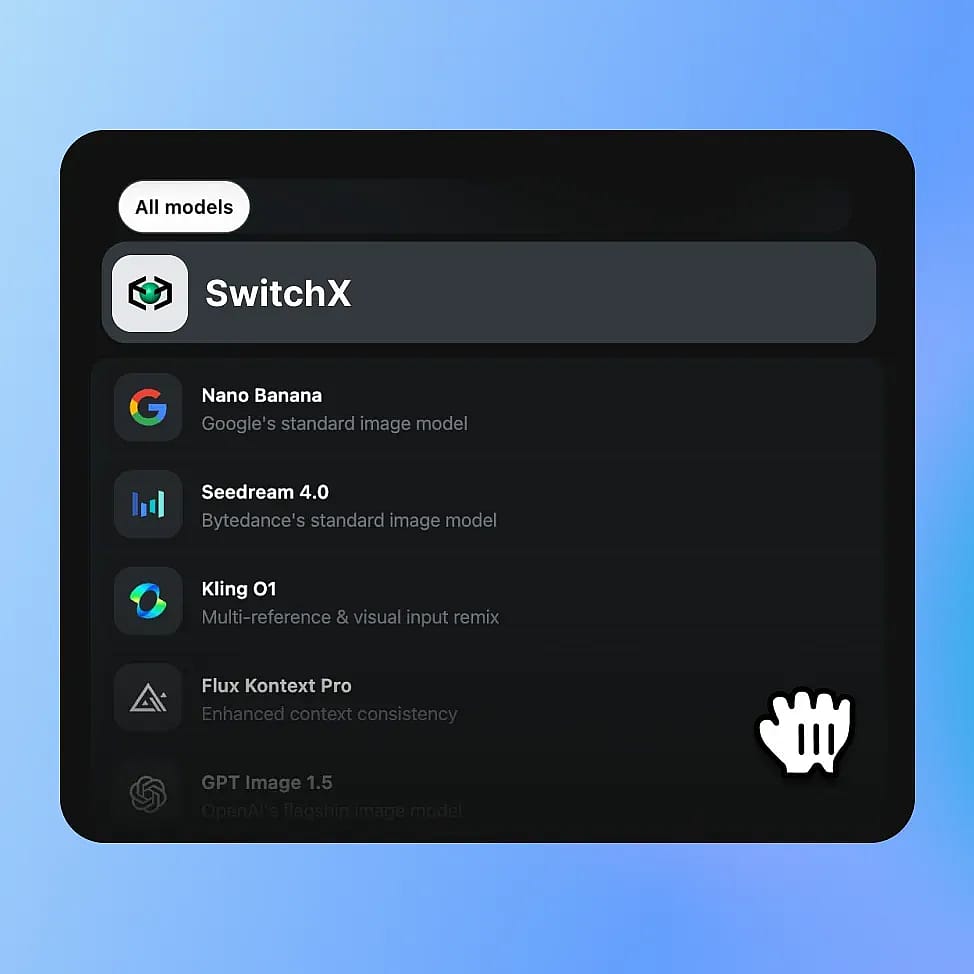
Choose SwitchX in OpenArt VFX
Open OpenArt VFX from OpenArt's video tools. SwitchX powers all three modes, so a single upload unlocks the full set of transformations. MP4 and MOV files in H.264 or HEVC are supported.
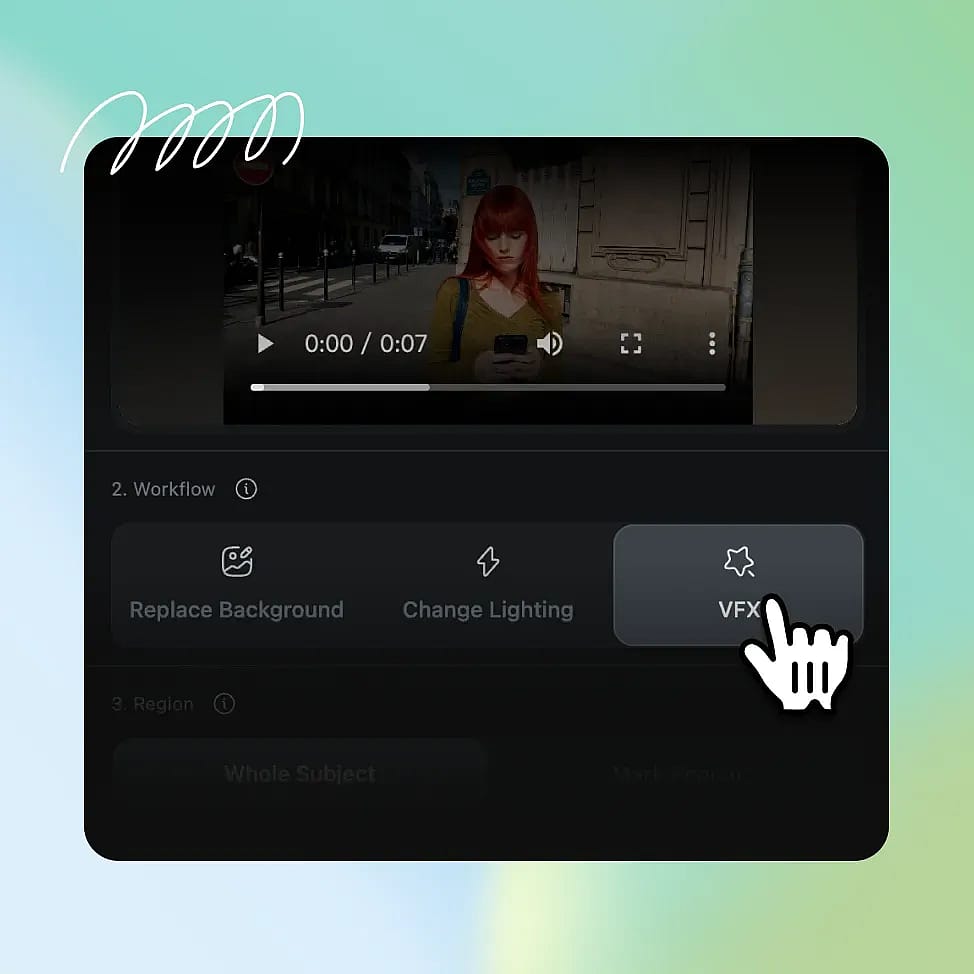
Pick Your Mode and Inputs
Choose Background to swap your environment, Relight to restyle the full frame, or Inpainting to paint a mask on a specific region. Add a reference image, a curated preset, or an optional text prompt to direct the result.
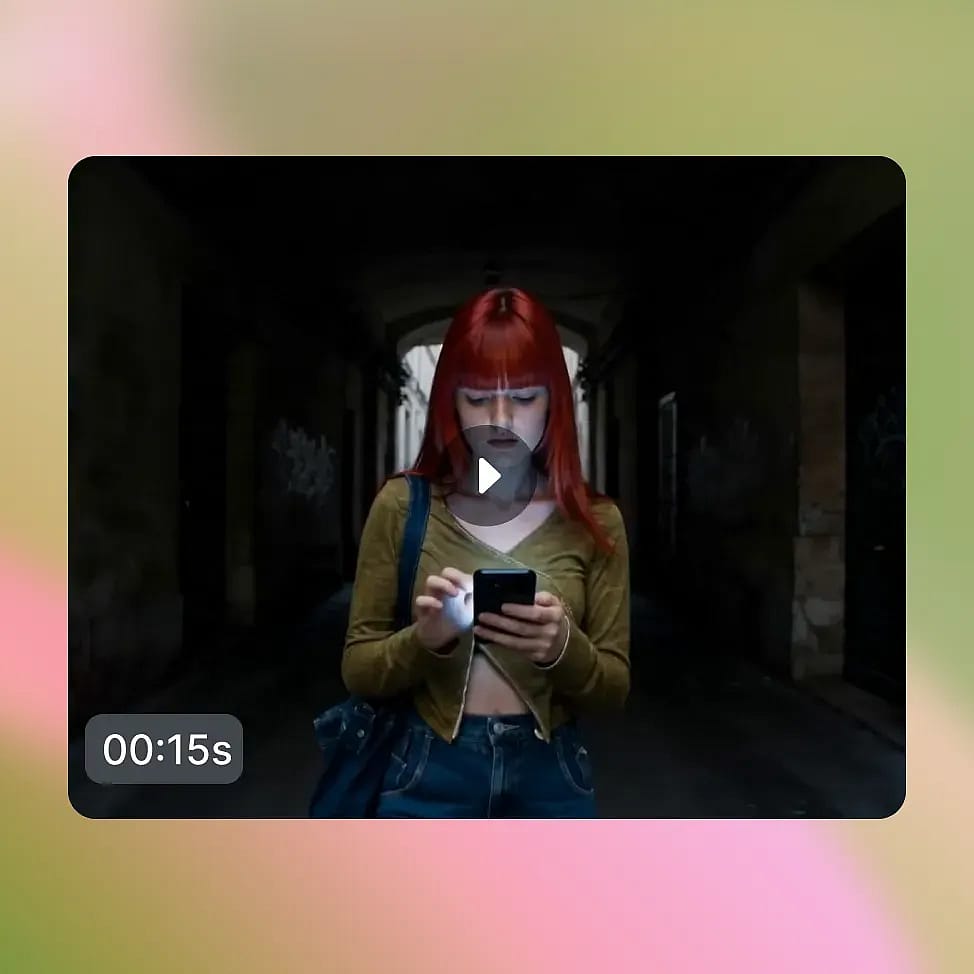
Generate and Compare
Pick 720p or 1080p, then generate. SwitchX processes your clip asynchronously and delivers a finished result in 3 to 7 minutes, with side-by-side Output, Source, Alpha, and Compare views built in.
Built to Transform Footage You Already Shot
SwitchX is built for the kind of work that used to require a green screen, a compositor, or a full VFX pipeline. Here is what it unlocks on OpenArt.
Reshoot the Background, Not the Performance
A talking-head clip filmed in a bedroom can become the same performance in a professional studio, on a beach, in a neon-lit city, or in any branded environment. The performance, the words, the timing, and the camera framing stay identical. The world behind the subject is the only thing that changes.
Try it NowRestyle the Look, Keep the Take
Relight and Mood lets a flat daytime clip become golden hour, a casual vlog become cinematic noir, or a standard talking head become a horror short, all while keeping the underlying performance and motion intact. The composition stays the same while the mood and lighting change completely.
Try it NowAdd Localized VFX Without a Pipeline
VFX mode gives indie filmmakers and advanced creators frame-level control without the overhead of Nuke, After Effects, or a compositing team. Paint a mask on the first frame, describe the change, and SwitchX transforms only outside the masked region across the clip.
Try it NowCreate Many Variations from One Clip
A brand or creator can film once and apply many different SwitchX outputs to the same footage, producing a library of content variations from a single recording session. One take can support multiple campaigns, channels, moods, or environments.
Try it NowPreview, Compare, and Ship Faster
SwitchX gives you Output, Source, Alpha, and Compare views so you can inspect the result before downloading the final MP4. This makes it easier to review background swaps, relighting, and masked VFX changes without leaving the browser.
Try it NowTips for Best Results
Use Clean Subject-Background Contrast
SwitchX isolates the subject most cleanly when there is clear separation between subject and background. Footage with sharp lighting differences or color contrast between subject and environment produces the cleanest masks across all frames.

Keep Camera Movement Moderate
SwitchX handles moderate motion well, but extreme shake, fast pans, or high-frequency motion can challenge frame-to-frame consistency. Locked-off shots and steady-handheld footage produce more stable results than action or sports clips.
Match Reference to the Mood You Want
Whether you upload your own reference image or generate one with OpenArt's image tools, the visual character of the reference is what SwitchX leans on. Pick a reference whose lighting, palette, and composition match the world you want, not just the literal subject.
Mask the First Frame Carefully
In VFX mode, SwitchX uses your first-frame mask to track the region across the rest of the clip. Take the time to mask precisely on frame one. A clean mask edge there means a clean result across every frame after.
Use Clean Subject-Background Contrast
SwitchX isolates the subject most cleanly when there is clear separation between subject and background. Footage with sharp lighting differences or color contrast between subject and environment produces the cleanest masks across all frames.
Keep Camera Movement Moderate
SwitchX handles moderate motion well, but extreme shake, fast pans, or high-frequency motion can challenge frame-to-frame consistency. Locked-off shots and steady-handheld footage produce more stable results than action or sports clips.
Match Reference to the Mood You Want
Whether you upload your own reference image or generate one with OpenArt's image tools, the visual character of the reference is what SwitchX leans on. Pick a reference whose lighting, palette, and composition match the world you want, not just the literal subject.
Mask the First Frame Carefully
In VFX mode, SwitchX uses your first-frame mask to track the region across the rest of the clip. Take the time to mask precisely on frame one. A clean mask edge there means a clean result across every frame after.
Loved by Creators
I've tried many AI platforms... but OpenArt is still the best for character creation, image-to-video quality, and the variety of models available.
OpenArt offers an excellent array of AI tools... once you learn the features, the creative possibilities are amazing - and their support team is outstanding.
OpenArt is a very versatile AI platform with many image and video models, consistent character creation, and powerful editing tools.
Helpful AI tools all in one place - image and video generation, editing, and more... no need for multiple subscriptions.
Customer service is always quick and helpful... and the platform keeps getting better with new features and tools.
I've tried many AI platforms... but OpenArt is still the best for character creation, image-to-video quality, and the variety of models available.
OpenArt offers an excellent array of AI tools... once you learn the features, the creative possibilities are amazing - and their support team is outstanding.
OpenArt is a very versatile AI platform with many image and video models, consistent character creation, and powerful editing tools.
Helpful AI tools all in one place - image and video generation, editing, and more... no need for multiple subscriptions.
Customer service is always quick and helpful... and the platform keeps getting better with new features and tools.
I've tried many AI platforms... but OpenArt is still the best for character creation, image-to-video quality, and the variety of models available.
OpenArt offers an excellent array of AI tools... once you learn the features, the creative possibilities are amazing - and their support team is outstanding.
OpenArt is a very versatile AI platform with many image and video models, consistent character creation, and powerful editing tools.
Helpful AI tools all in one place - image and video generation, editing, and more... no need for multiple subscriptions.
Customer service is always quick and helpful... and the platform keeps getting better with new features and tools.
With so many AI platforms out there, OpenArt stood out as a stellar choice - I'd recommend it to any creator.
This platform includes everything you need for AI content creation - images, video, characters, audio, and multiple AI models in one place.
OpenArt is pushing the boundaries of AI video creation... and it's clear the team is committed to improving the creator experience.
I made my first AI music video with OpenArt... and their support team was the best help I've ever experienced.
I'm very happy with the support - my issue was resolved quickly and the team made the process easy.
With so many AI platforms out there, OpenArt stood out as a stellar choice - I'd recommend it to any creator.
This platform includes everything you need for AI content creation - images, video, characters, audio, and multiple AI models in one place.
OpenArt is pushing the boundaries of AI video creation... and it's clear the team is committed to improving the creator experience.
I made my first AI music video with OpenArt... and their support team was the best help I've ever experienced.
I'm very happy with the support - my issue was resolved quickly and the team made the process easy.
With so many AI platforms out there, OpenArt stood out as a stellar choice - I'd recommend it to any creator.
This platform includes everything you need for AI content creation - images, video, characters, audio, and multiple AI models in one place.
OpenArt is pushing the boundaries of AI video creation... and it's clear the team is committed to improving the creator experience.
I made my first AI music video with OpenArt... and their support team was the best help I've ever experienced.
I'm very happy with the support - my issue was resolved quickly and the team made the process easy.