
Instagram Post Generator
Turn a product photo or an idea into a finished Instagram post with AI. This Instagram post maker adds your headline and brand colors to feed posts, carousels, and Reels covers.
Key Features of the Instagram Post Generator
Put your headline on any photo and keep every post in your brand style with this Instagram post creator.
Add Text to Any Instagram Post Design
The Instagram post generator puts your words on the image. Upload a photo to Edit Image, or describe the post you want in the AI Image Generator, and put the headline, price, or date in quotes, like "20% Off This Weekend". GPT Image 2.6 and Nano Banana Pro handle text well and leave the rest of your photo as it is.
Keep Every Post on Brand With Brand Kit
Brand Kit saves your logo, hex colors, fonts, style references, and brand rules for one project. Every post in that project follows those rules, so followers spot your brand before they read the name. It works with GPT Image 2.6 and GPT Image 2 for images.
Make an Instagram Carousel From One Brief
Chat Mode makes a full Instagram carousel from one message, such as "a 4-slide carousel of our best pies, with a pre-order slide at the end." It shows the credit cost first and saves every slide to your library. To post the same design as a Story, resize it with the AI Aspect Ratio Changer.
How to Make an Instagram Post With AI
Make an Instagram post from a photo or an idea in three steps.
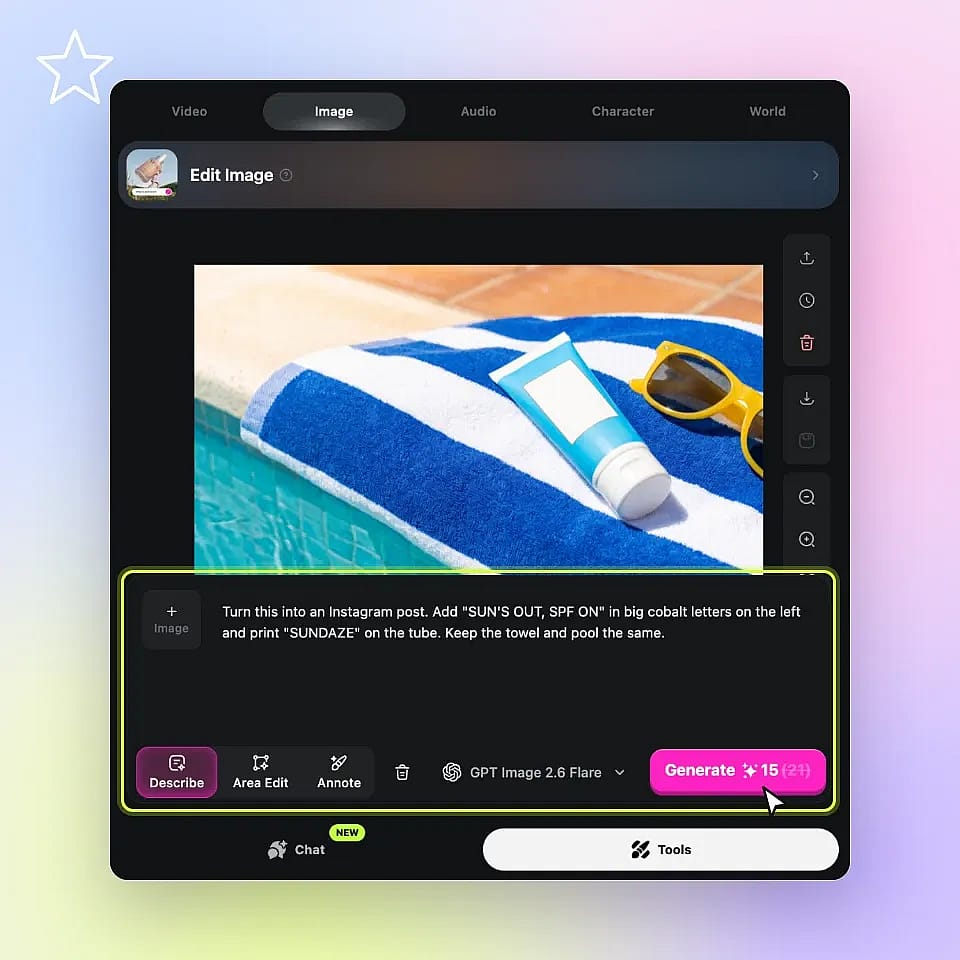
Add a Photo or Describe Your Post
Upload your photo to Edit Image, or open Create Image to start from text. Type the headline you want in quotes.
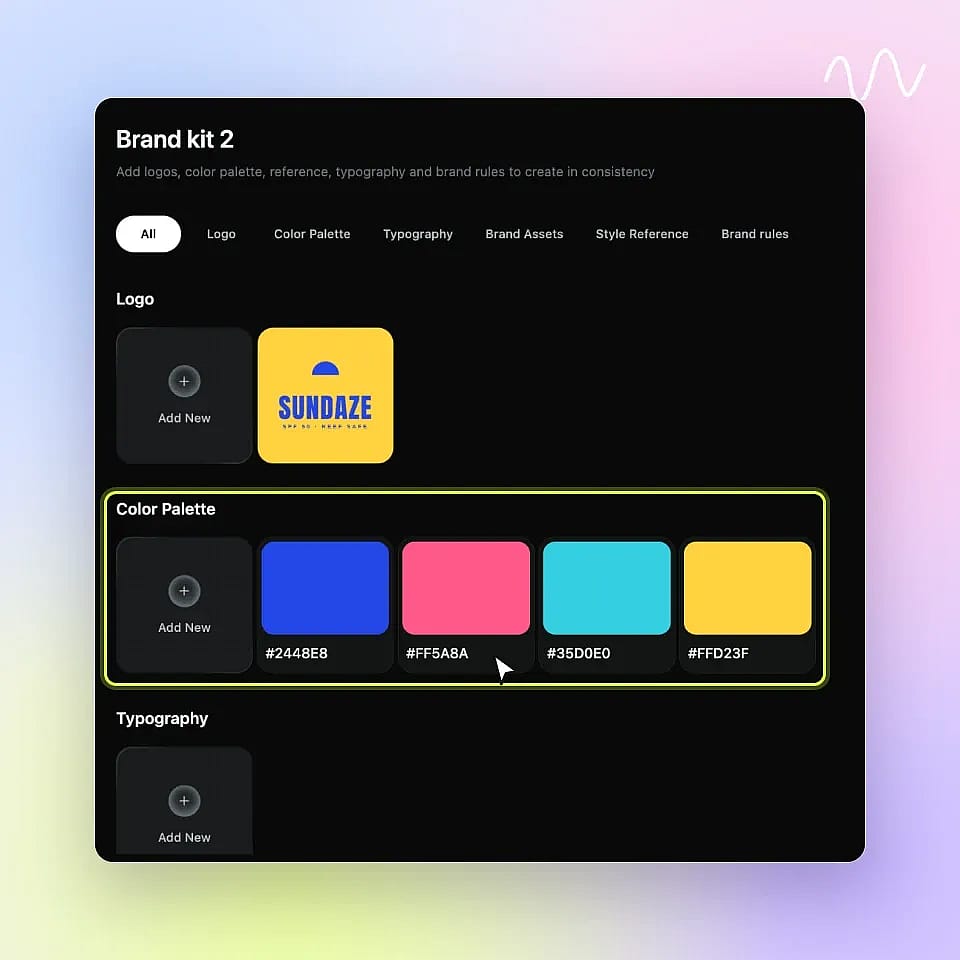
Save Your Logo and Colors in Brand Kit
Open Brand kit under Assets and add your logo, hex colors, and fonts. Brand Kit applies them to posts you make in Create Image with GPT Image 2.6 or GPT Image 2.
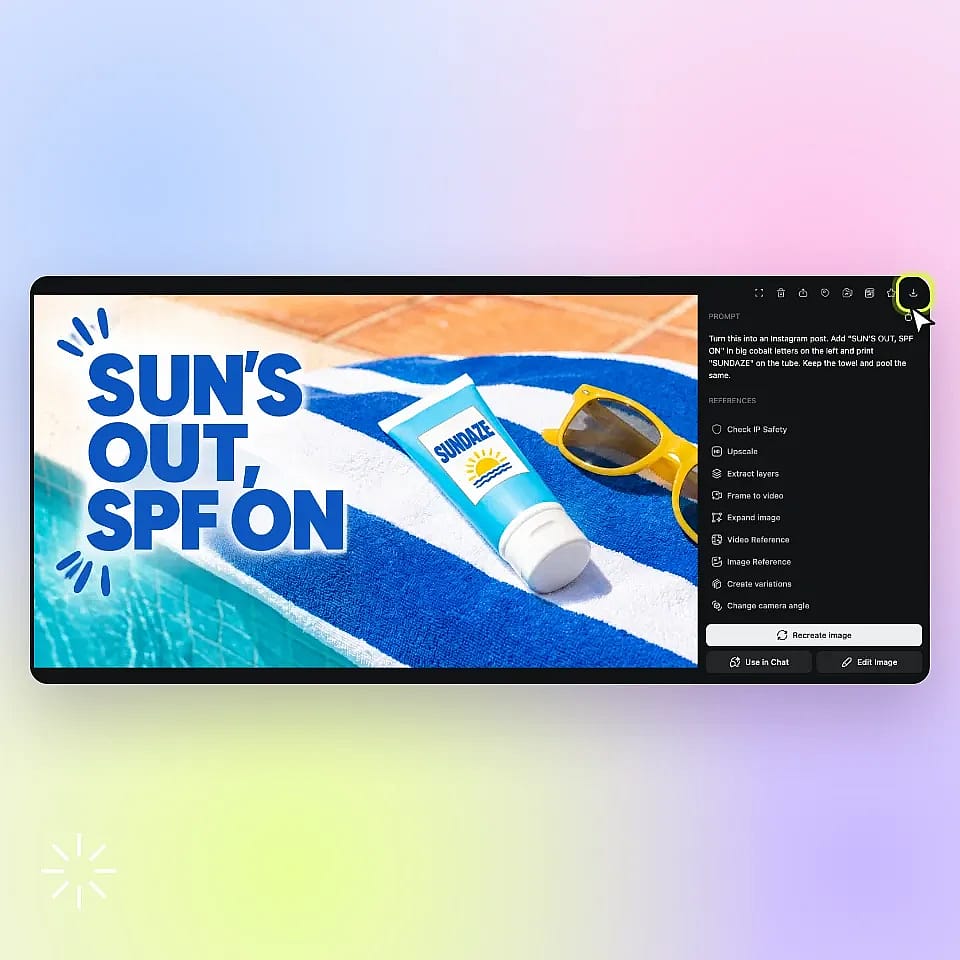
Generate and Download
Click Generate, check the spelling on the result, then click the download icon to save your post.
What You Can Make With the Instagram Post Generator
Instagram post ideas for product launches, outfit carousels, travel Reels, and small brand feeds.
Turn a Product Photo Into a Launch Post
Shop owners can upload a plain product photo, or make one with the AI Product Image Generator, then add a headline and a short offer.
Try it NowShare a Week of Outfits in One Carousel
Outfit creators can turn mirror selfies and street photos into one carousel. Keep the same handle, colors, and fonts on every slide so followers know the post is yours.
Try it NowTurn a Travel Post Into a Reel
Travel creators can add a headline and their handle to a trip photo, then upload it to Image to Video and describe one movement. For a longer Reel with several clips, use the AI Reels Maker.
Try it NowKeep a Small Brand Feed on One Look
Small brands can save their logo, hex colors, and fonts once instead of editing a new template for every post. Tips, behind-the-scenes shots, and product posts come out in the same look.
Try it NowFrequently Asked Questions
To make an Instagram post with AI, open Create Image and describe the post: the subject, the words in quotes, the style, and the size. To start from a photo, upload it to Edit Image and ask to keep the product unchanged. Chat Mode can also write the prompt and pick the model for you. Generate a few versions, check the text, and download your favorite.
Yes. OpenArt works as an Instagram carousel maker: ask Chat Mode or Create Image for matching portrait slides that share one palette and one font style. Use the same reference image or Brand Kit for every slide, then fix one slide at a time and leave the others as they are.
Yes. Brand Kit stores your logo, hex colors, fonts, style references, and brand rules, and OpenArt applies them to the posts in that project. Brand Kit works with GPT Image 2.6 and GPT Image 2 for images, and with Seedance 2.0 for video.
Instagram feed posts work in square (1:1) and portrait (4:5) sizes, and portrait takes up more of the screen. Stories and Reels use a 9:16 vertical size. Pick the size before you generate so the headline and the product stay inside the frame.
Yes. The same tools work as an AI social media post generator for other platforms. Pick the size before you generate, such as 9:16 for Stories and Reels or 1:1 for a square feed post. To reuse a finished post somewhere else, resize it with the AI Aspect Ratio Changer. For video posts, use the Social Media Video Maker. For a print version of the same design, use the AI Poster Maker.
Instagram decides when to show its "AI info" label. Meta says it looks for industry-standard AI signals in image files and asks people to disclose realistic AI content. Read the Creator's Guide to AI Disclosure and follow Instagram's current rules when you post.
More Instagram Post Ideas for Your Feed
Find copy-and-paste prompts for realistic photos you can turn into posts. Pick a style that fits your feed and keep your product as the focus.
Explore Photo Prompts