


ChatGPT AI Image Generator
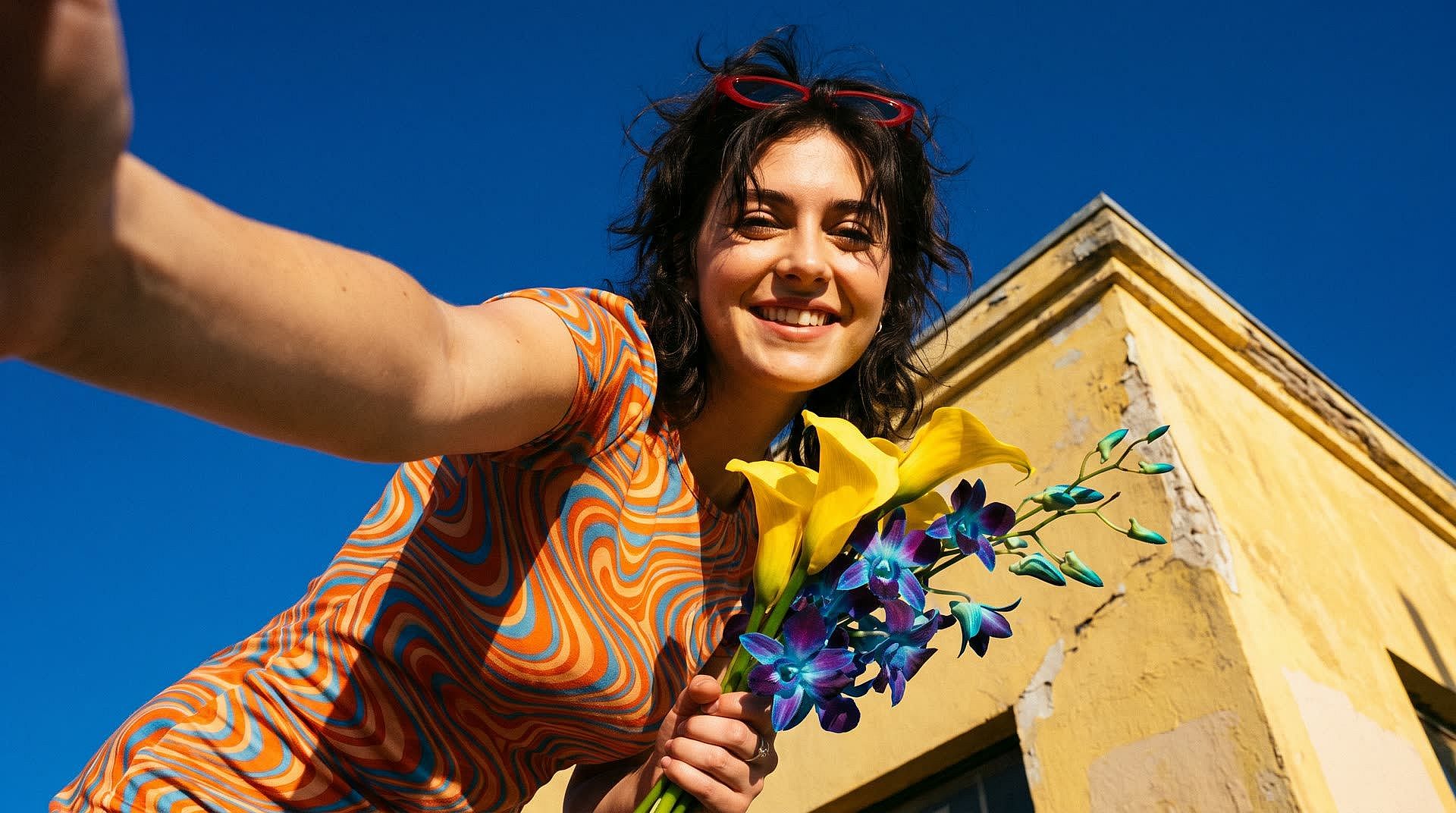
OpenArt adds more AI image generation models like Nano Banana, GPT Image, and Seedream to ChatGPT. Describe the image and OpenArt picks the model that fits the job, or name one yourself, and every image saves to your OpenArt library.
How to Add OpenArt to Your ChatGPT Plugins
Add OpenArt once, and the ChatGPT image generator can use every OpenArt image model from then on.
Install the OpenArt Plugin
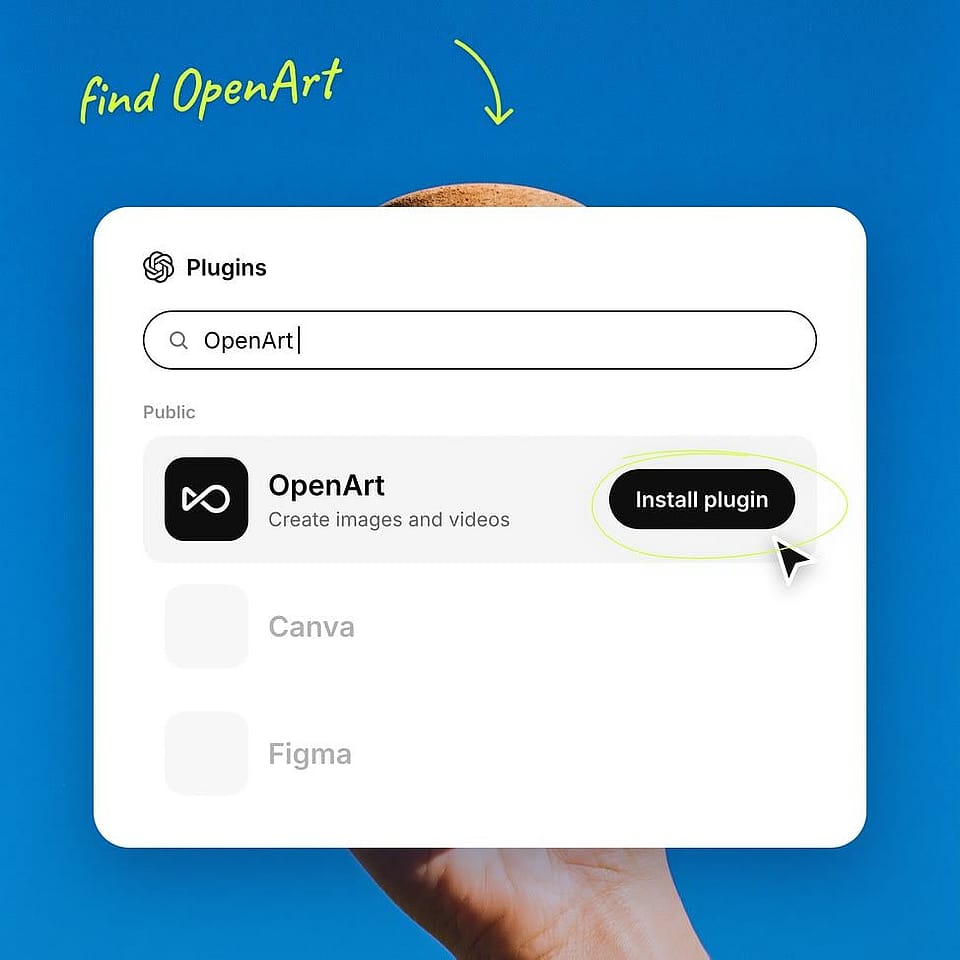
Open the ChatGPT website on your browser. From the side panel, go to ChatGPT plugins, search for OpenArt, and click Install plugin. Or you can go directly to chatgpt.com/plugins and install the plugin. The ChatGPT connector doesn’t need an API key to set up.
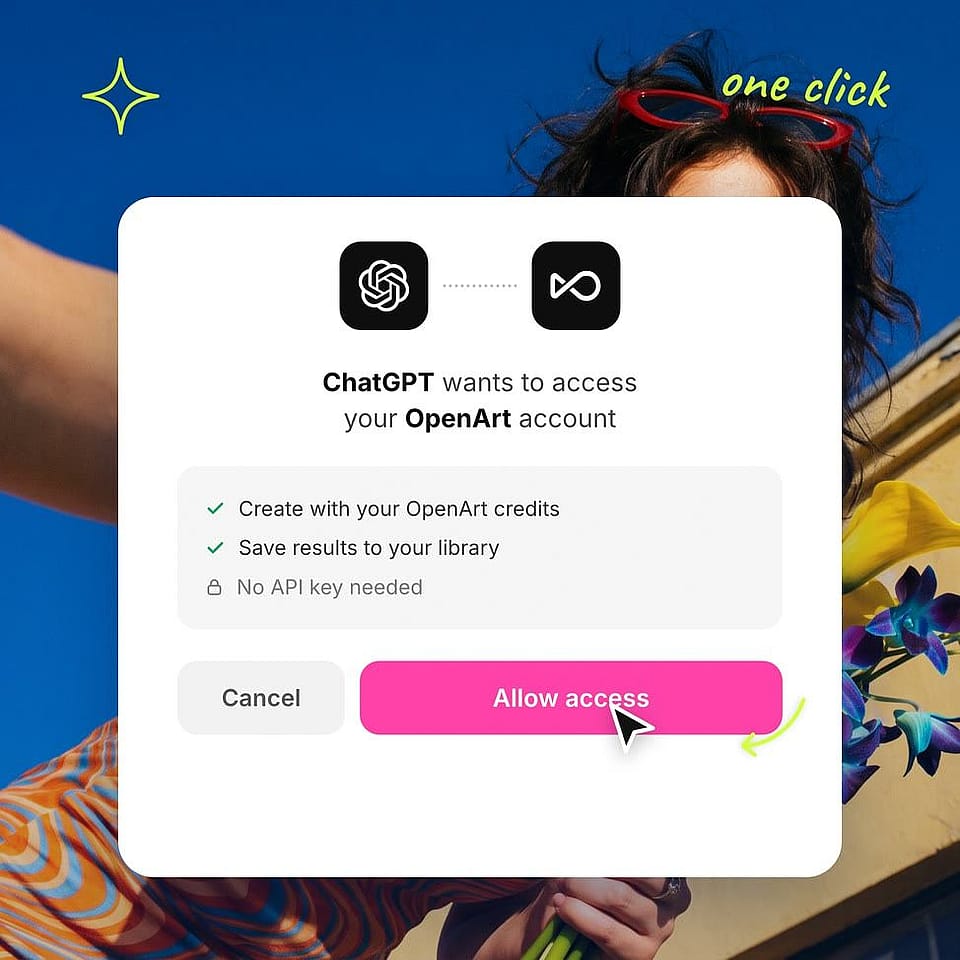
Sign In to OpenArt
Click Sign in with OpenArt and approve the connection. The ChatGPT MCP uses the credits on your OpenArt account.
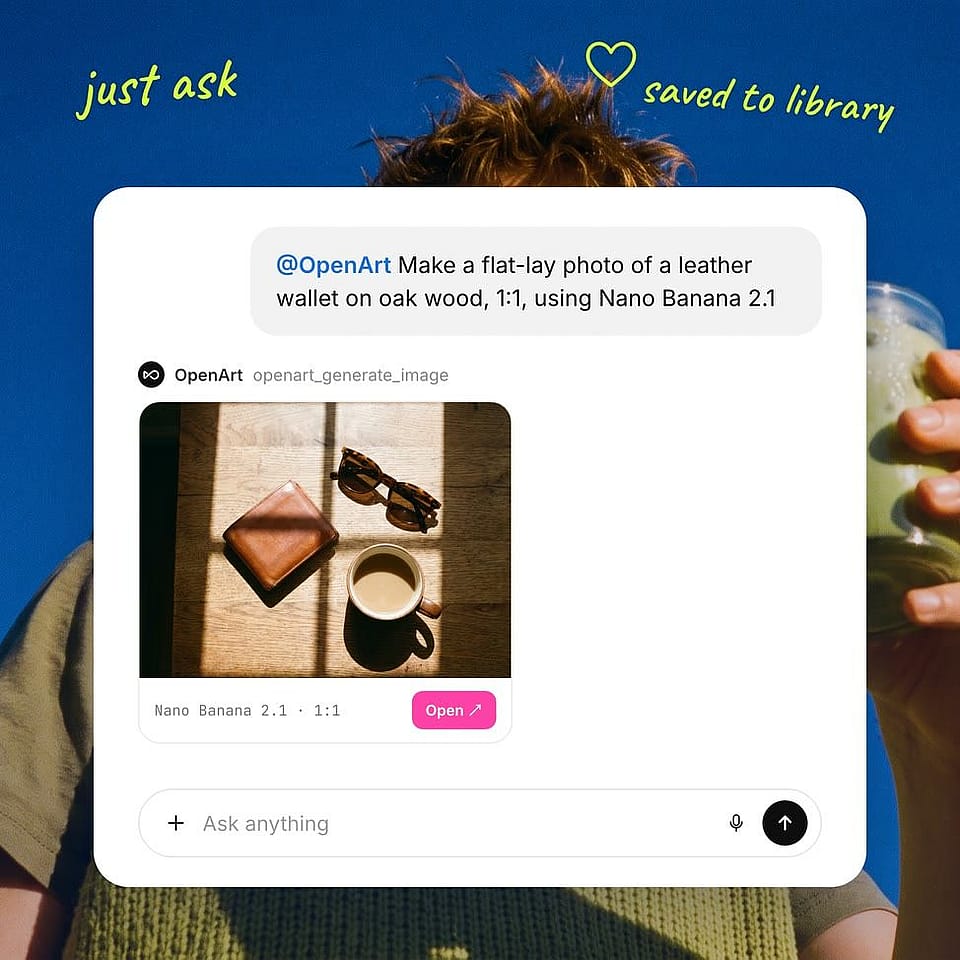
Tag @OpenArt and Describe Your Image
Type ‘@OpenArt’ in a new chat, then add an image prompt and mention the model to use like "@OpenArt Make a flat-lay photo of a leather wallet on oak wood, 1:1, using Nano Banana 2.1". Your image shows up in the chat and is also saved in the OpenArt library.
What OpenArt Adds to ChatGPT Image Generation
OpenArt connects to ChatGPT through OpenArt MCP, so its image and video tools work inside your chat.
Get Clear, Readable Text in Your Images
Pick a model built for words when the text in the image matters. Nano Banana Pro can fit a full ingredient list on a recipe card and translate text to any language, GPT Image 2.5 for dense typography, and Ideogram 4.5 for logos, signs, and packaging. Put the exact words in quotes in your prompt, like a headline or a price, and they come out as you have written them. These AI image generation models also make images in 2K & 4K, so the words stay sharp on a printed poster.
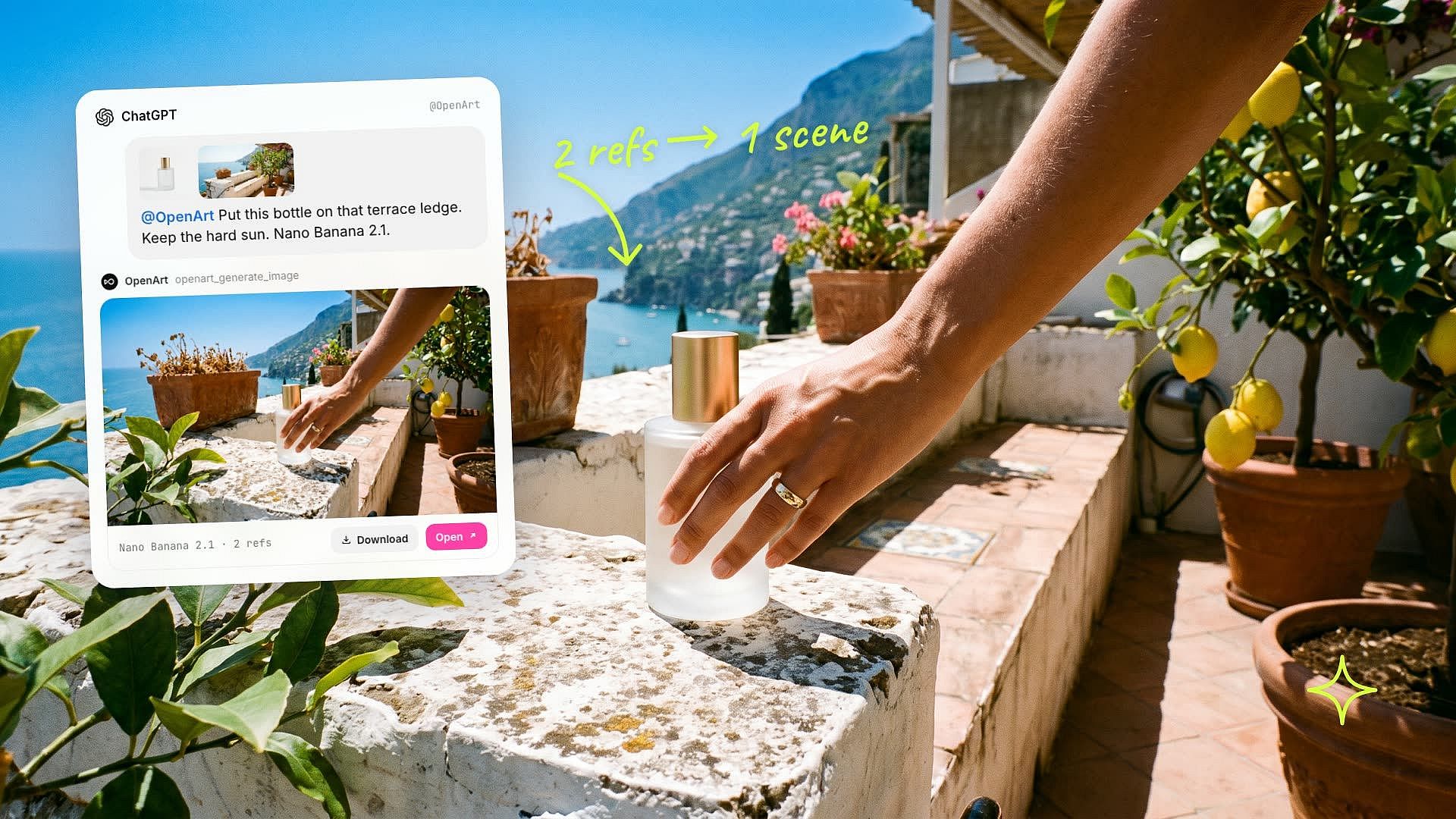
Mix Several Reference Images Into One Picture
Give @OpenArt more than one reference, like a product photo and a background you like, and it blends them into one scene. Nano Banana 2.1 can blend up to 14 reference images, and Seedream 5 Pro up to 10. Paste the image links in ChatGPT picture generator or pick them from your OpenArt library.
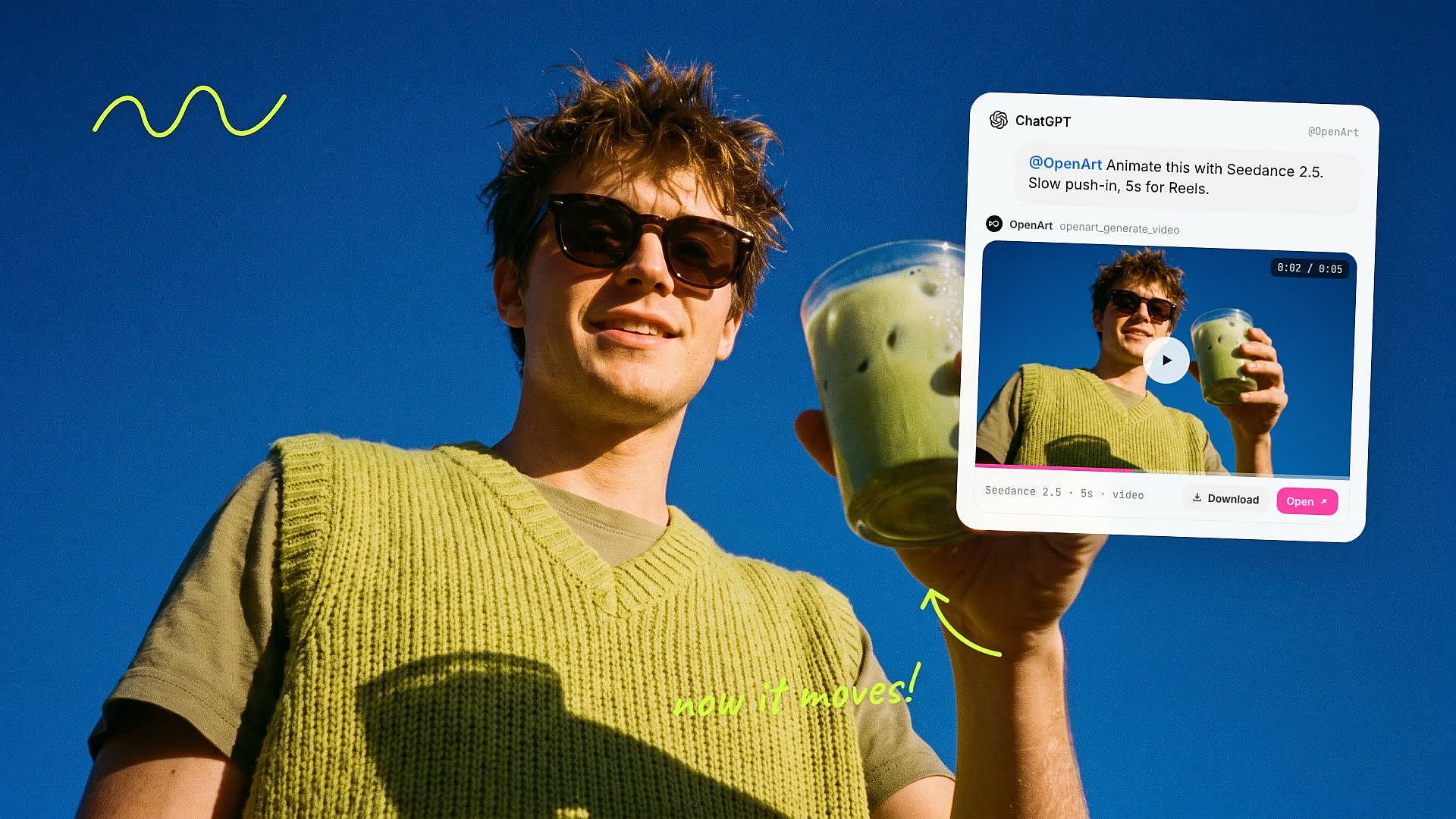
Turn Any Image Into a Video
When you like an image, ask @OpenArt to animate it with Seedance 2.5 or another video model. The clip shows up right under the image, so a still product shot can become a short video for Reels or TikTok in the same chat. Want to see how ChatGPT AI image generator can make videos? Try our ChatGPT AI video generator for more ideas.
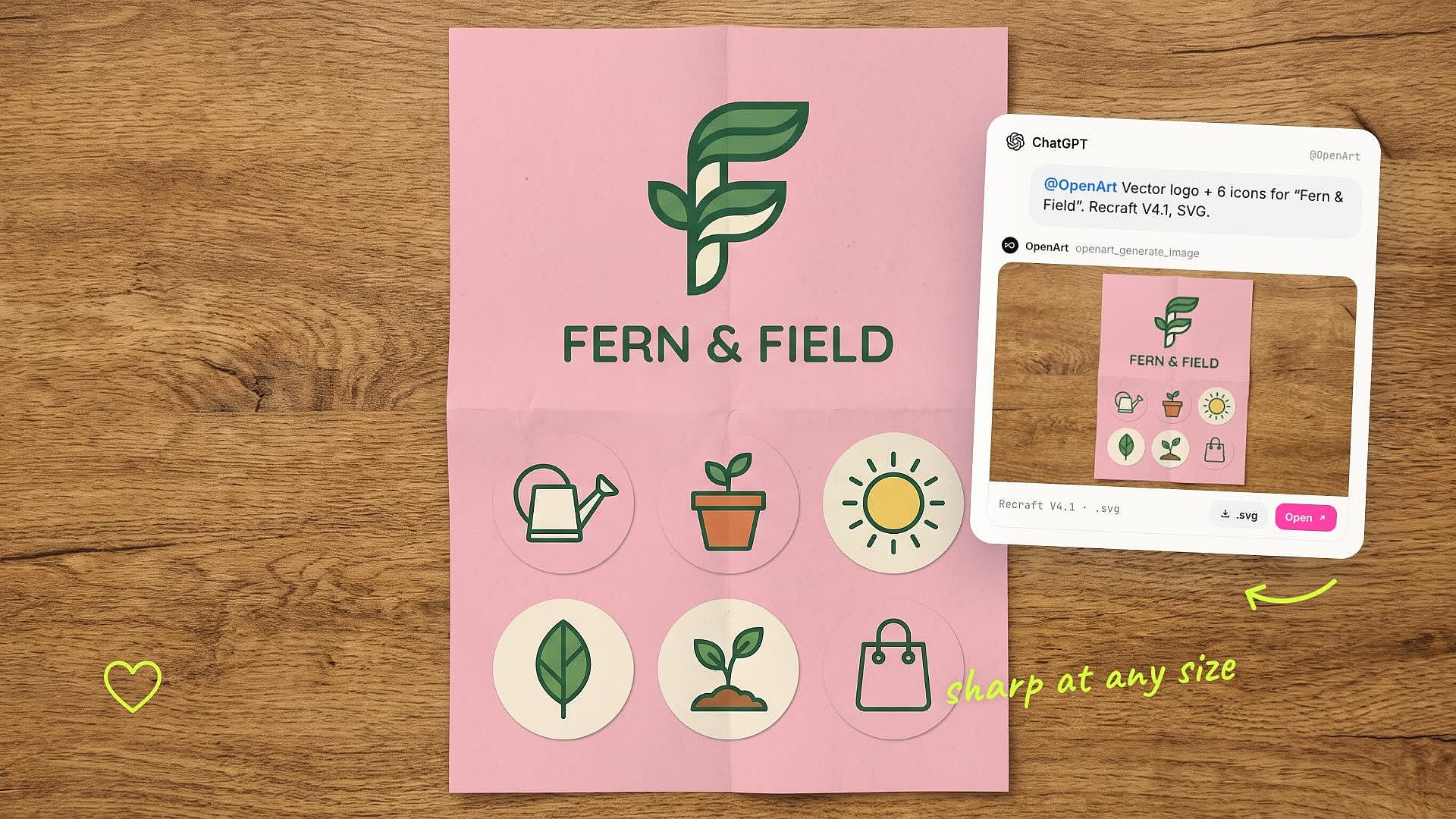
Make Vector Logos and Icons
The ChatGPT image generator creates raster images or PNG files. With the OpenArt ChatGPT plugin, ask for Recraft V4.1 in vector format, and you can download an .svg file right from the OpenArt library. The file stays sharp at any size. The same logo looks clean on an app icon and on a billboard. Small brands can make a logo and a matching set of icons in one chat.
What You Can Make With OpenArt ChatGPT Plugin
With OpenArt as your ChatGPT picture generator, product photos, ads, blog images, and social ads all start with one message to @OpenArt.
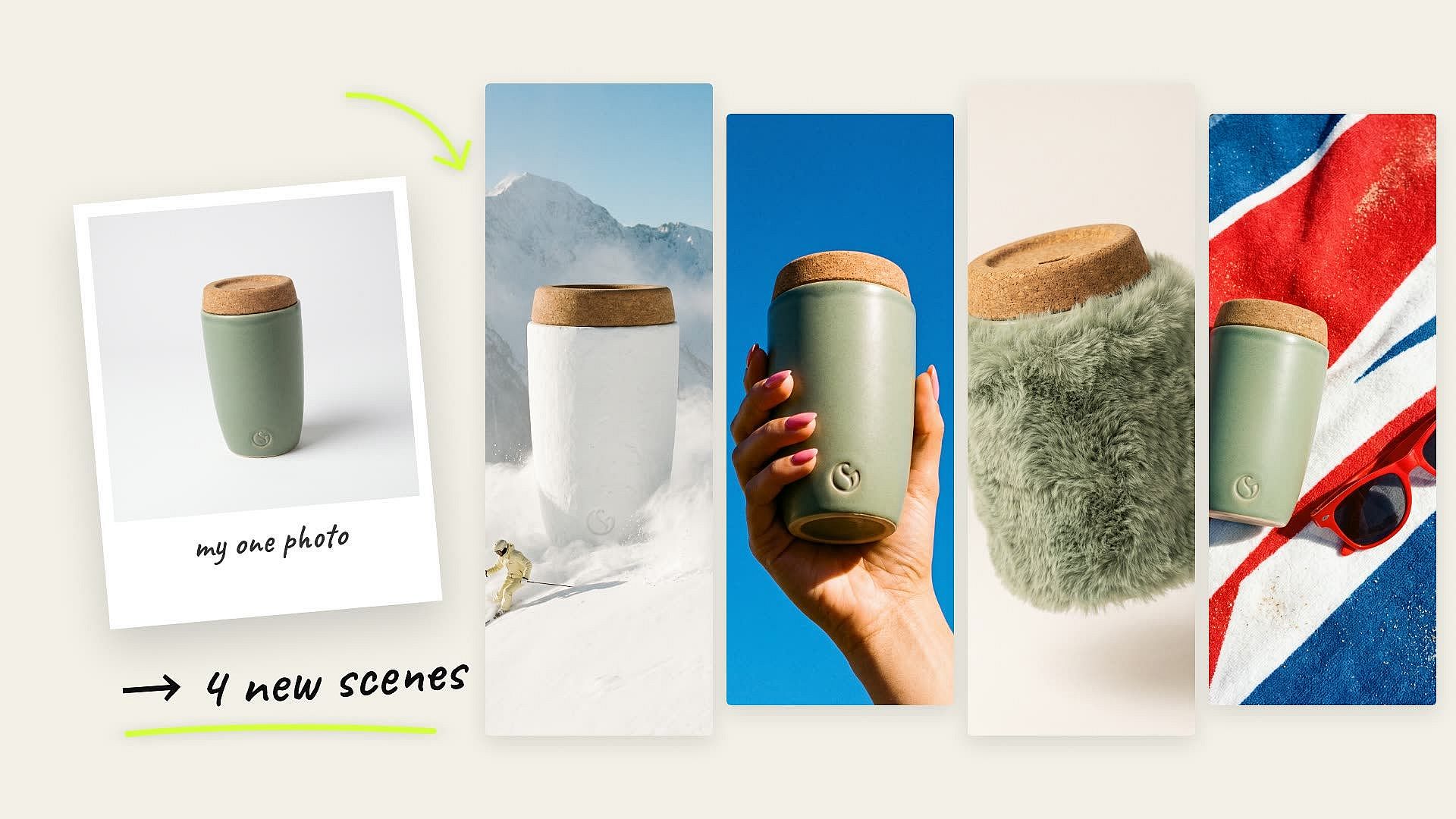
Turn One Product Photo Into Four Scenes
Paste a link to one product photo and ask @OpenArt for four new scenes with Nano Banana 2.1. The model keeps your product in the picture while the setting changes, from a kitchen counter to a beach towel. Online sellers get a full set of listing photos from a single picture, with no photo shoot.
Try it Now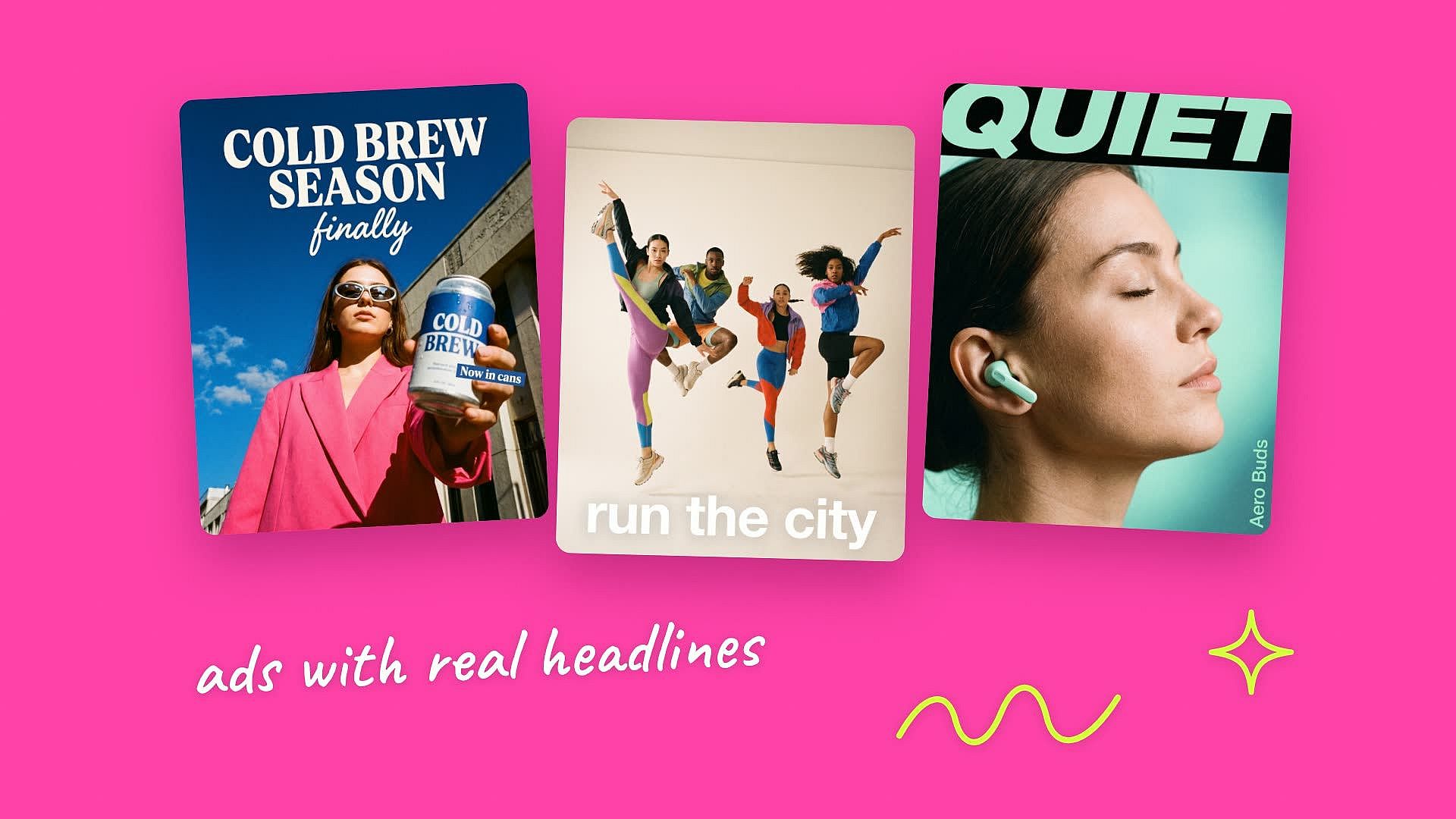
Make Social Ads With Headline Text
With the OpenArt ChatGPT plugin, use any of the text rendering AI image models to get the words, spellings, and typography right. Add a big bold headline on a poster or incorporate finer text within product label, ChatGPT image generator with the OpenArt plugin helps improve text legibility and readability. Marketers get a finished ad, text included, without opening a design app.
Try it Now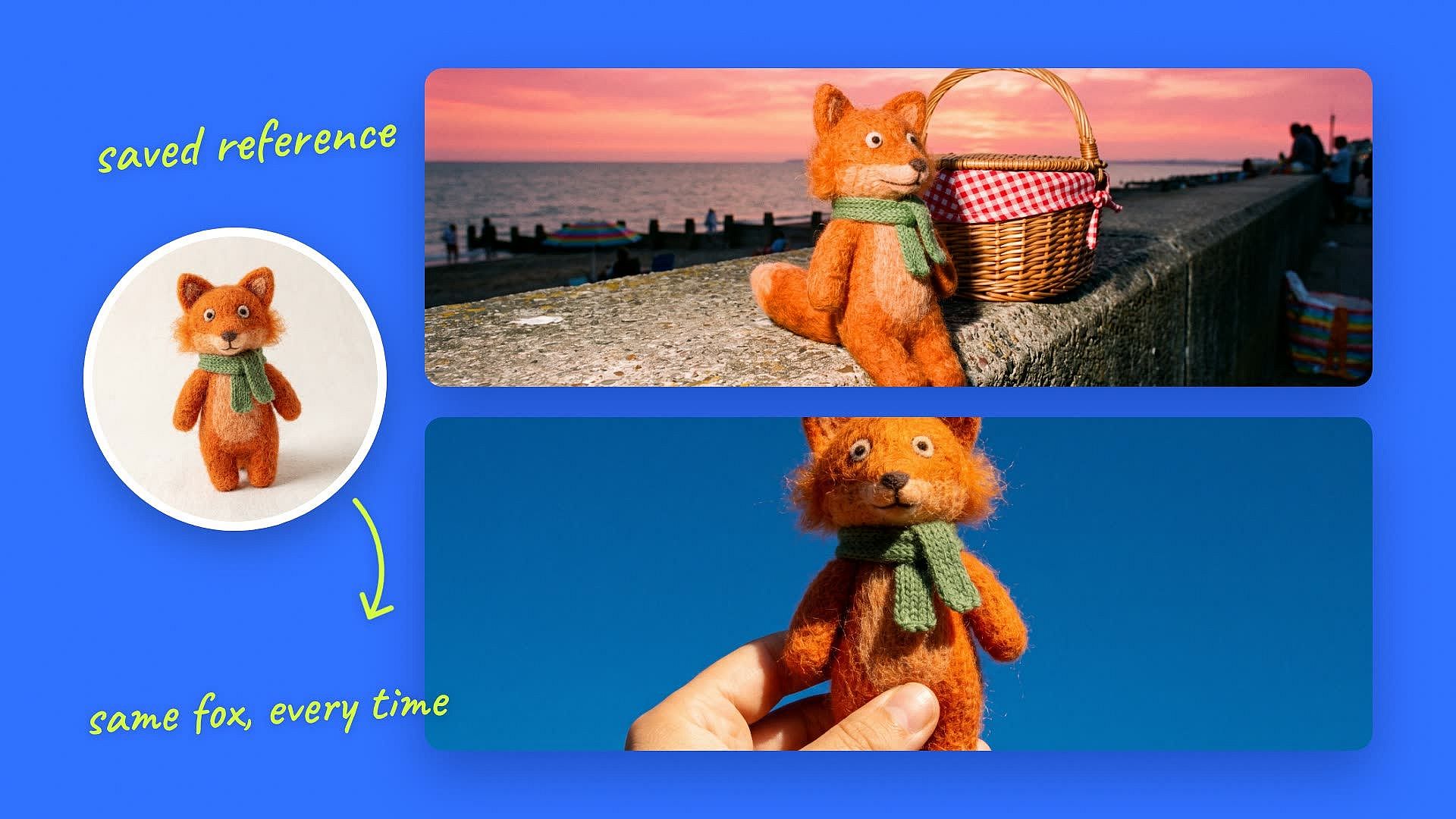
Keep the Same Character or Product Across a Set
Add an image as a reference to ChatGPT AI image generator from the OpenArt library, and each new image builds on that keeps the same look. Your mascot or product stays recognizable from the first image to the last. So instead of experimenting with small edits (which often changes the whole image style), use a saved reference to keep every version on track.
Try it Now
Header Images for Blogs and Newsletters
Write your post in ChatGPT image generator, then ask @OpenArt for a header image in your preferred aspect ratio that matches the topic. Content team can get a custom image for every post in the same chat where they wrote it. Marketers can reuse an image from the OpenArt library as the style reference, and every post looks like part of one series.
Try it NowFrequently Asked Questions
Yes. ChatGPT makes images with OpenAI's built-in GPT Image model. Once you add the OpenArt plugin, you can also type @OpenArt and pick other models, like Nano Banana, Seedream, or Ideogram, for each image.。
Installing the OpenArt plugin is free. Each image uses credits from your OpenArt plan, the same as on openart.ai, and new OpenArt accounts come with 40 free trial credits, and no credit card required. MCP included in every plan. The cost depends on the model, so you can ask @OpenArt what a model costs before you generate.
Type @OpenArt and try another model in the same chat. If @OpenArt does not answer, check that the plugin is installed and that you are signed in to OpenArt. When several tools are connected, name OpenArt in your prompt so ChatGPT sends the request to it.
Every image shows up in the chat and is saved to your OpenArt library. You can download it from openart.ai or use it as a reference in your next prompt. On a team workspace, images save to the shared workspace library.
Yes. The same OpenArt account works in ChatGPT, Claude, Cursor, and Kimi, with the same credits and the same library. You can also make images in Claude with the same models.
No. You sign in with your OpenArt account when you install the plugin, and that is the whole setup.
OpenArt connects to ChatGPT through MCP, an open standard that lets ChatGPT use outside tools. In ChatGPT, it shows up as the OpenArt plugin. When you type @OpenArt, ChatGPT sends your request to OpenArt, and the finished image comes back into the chat.
Images you make with @OpenArt run on OpenArt and use your OpenArt credits. However, if you make images directly on ChatGPT without the plugin, the AI image generation limit caps depend on the subscription plan, and OpenAI does not publish the number. With @OpenArt, you know the cost of each model before you make an image.
Each one is better at different jobs. GPT Image, the model inside ChatGPT, is strong at exact text and clean layouts. Nano Banana 2.1 adds sharp 4K detail and handles scenes with several products well. With @OpenArt, you can run both on the same prompt and keep the image you like.
Yes, you can edit an existing image in ChatGPT. Upload the image or pick it from the library and say what to change. You can also use the chat photo editor in Chat Mode on openart.ai and type the change you want. Chat Mode revises the image, and the new version saves to your OpenArt library.
Yes. Type @OpenArt and name Nano Banana 2.1, Nano Banana Pro, or another Nano Banana model in your prompt. Nano Banana 2.1 is fast and great for posters and multi-product ads. Nano Banana Pro is best for long text inside the image and realistic people.
Create without limits
Join thousands of creators using OpenArt to generate stunning images, videos, and more — all in one platform.
Get Started for Free →