
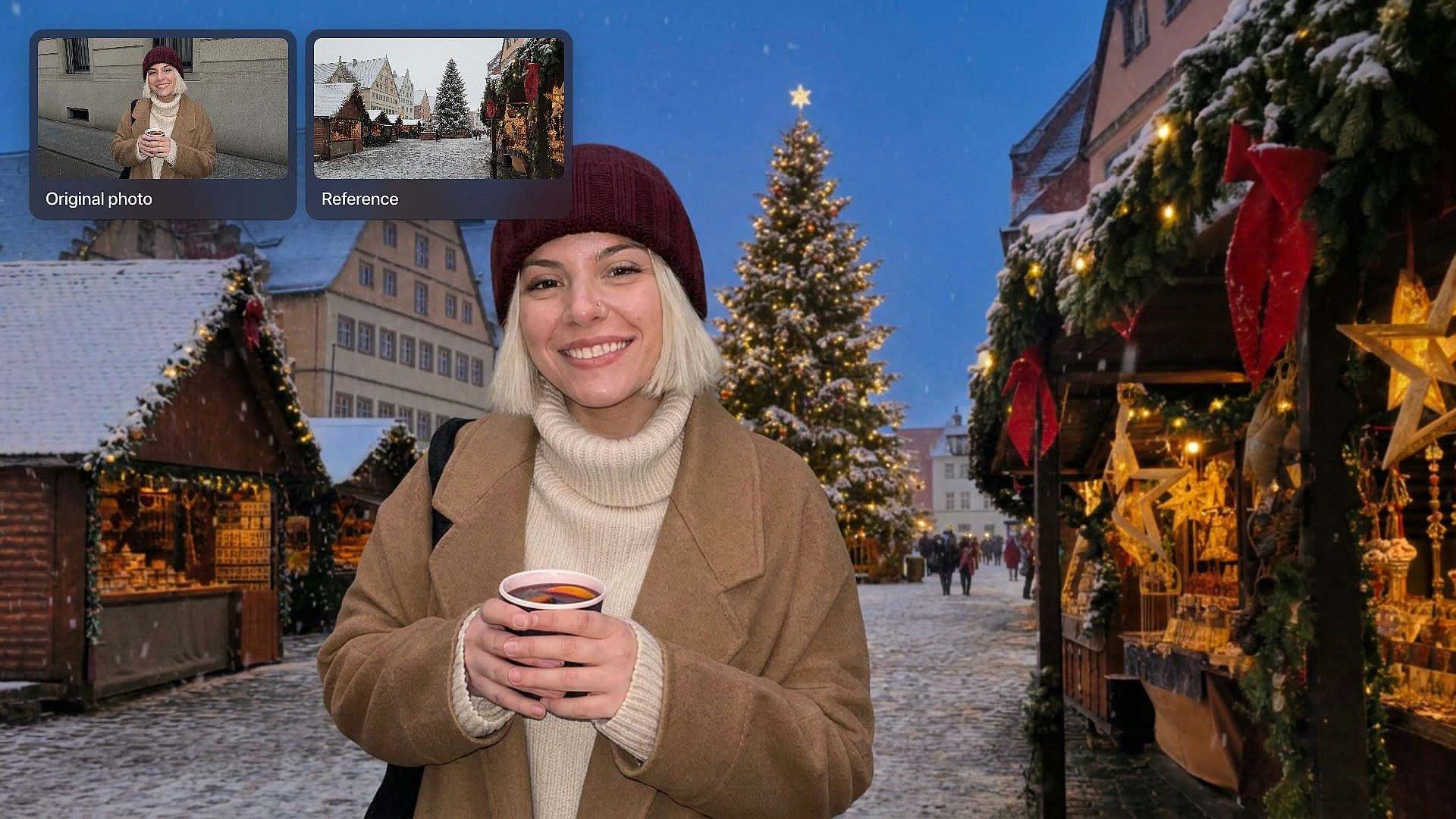
Add Christmas Background to Photo
Add a Christmas background to your photo with OpenArt's Change Background tool. Upload a picture, type the holiday scene you want, and the people, pets, and products in it stay just as you shot them.
Key Benefits
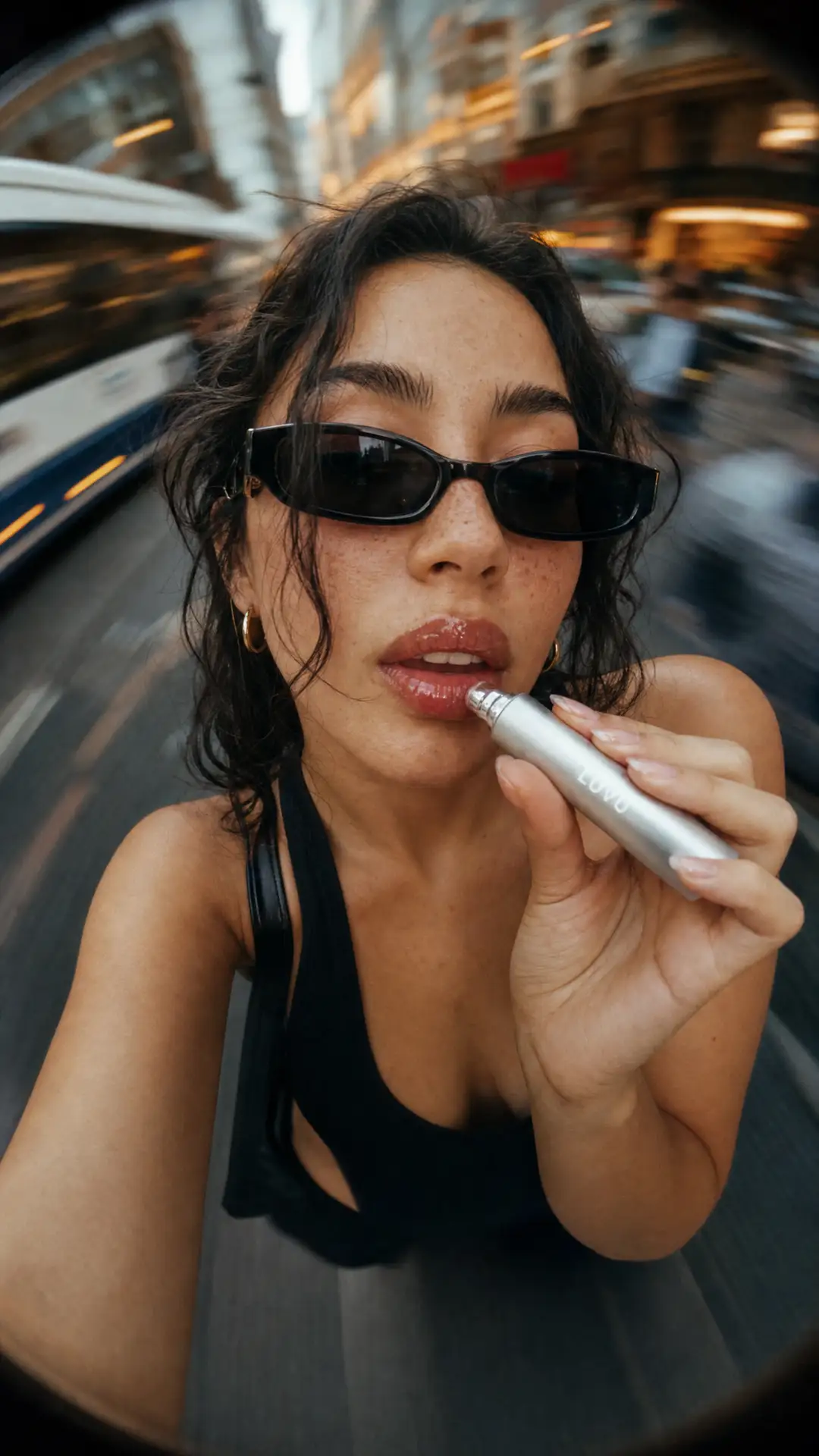
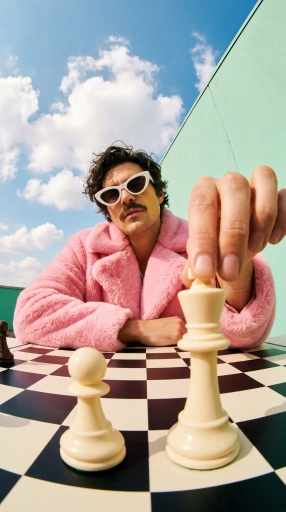
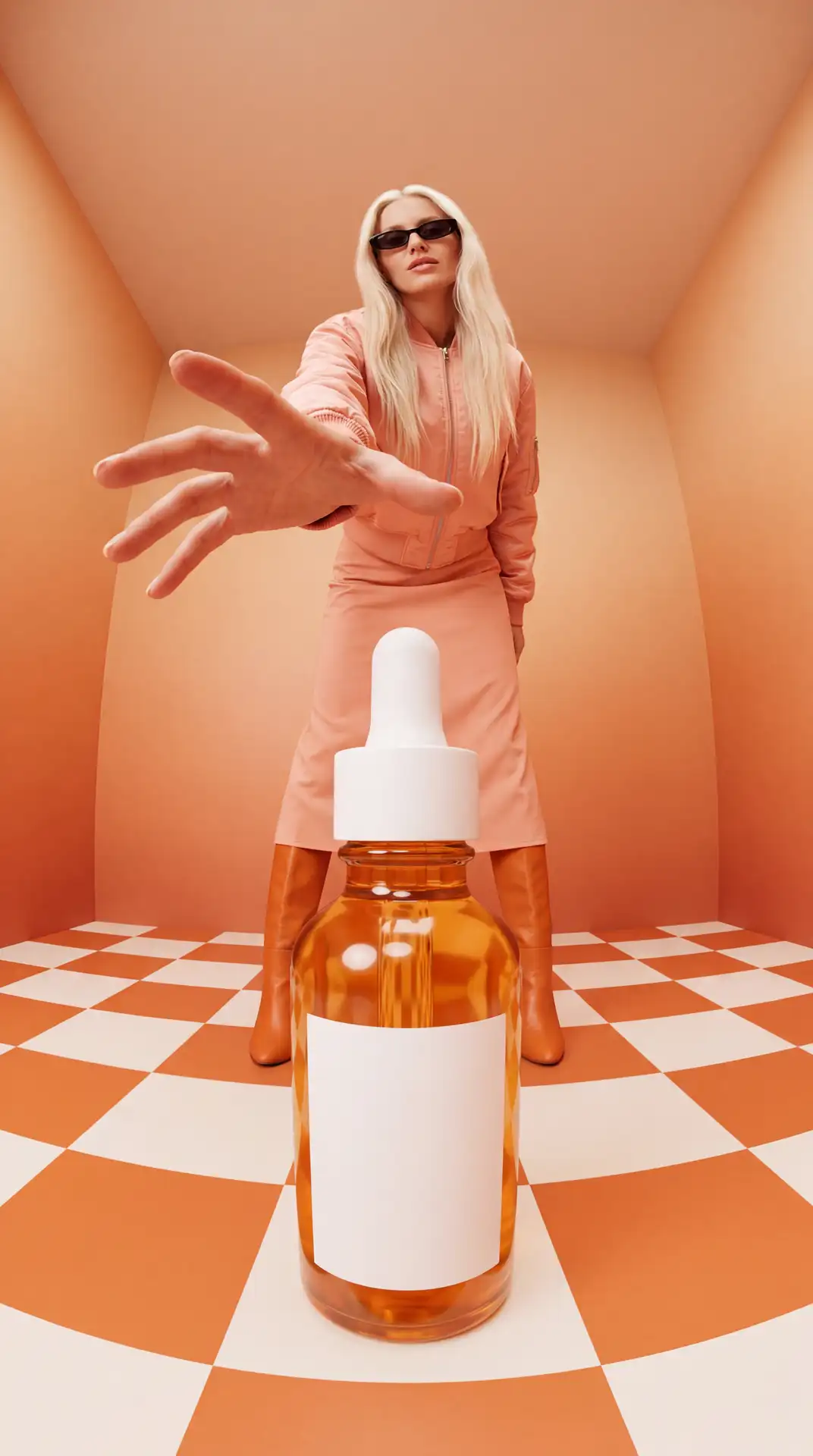

Only the background changes
Change Background keeps the people and products from your photo and puts a new Christmas scene behind them.
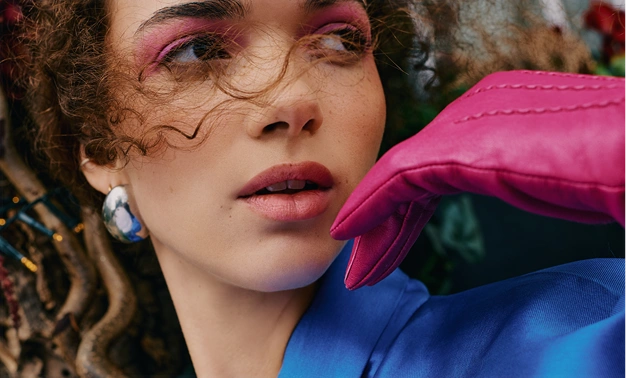
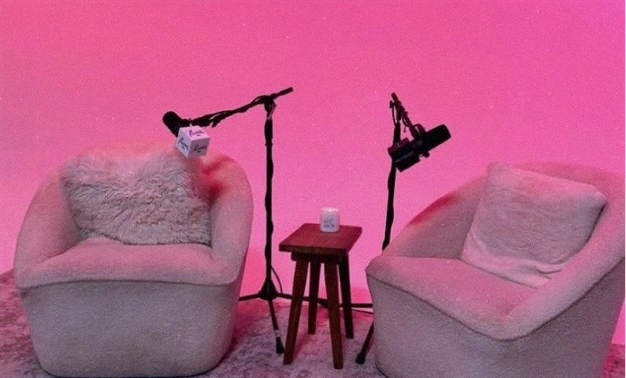
Bring your own backdrop
Upload a picture of your decorated tree, your shop window, or a snowy street, and Change Background uses it as a guide for the new scene.

Just type the scene
Describe the Christmas background in plain words, with no cutting out, layers, or extra software to learn.
Key Features of Christmas Background Tool
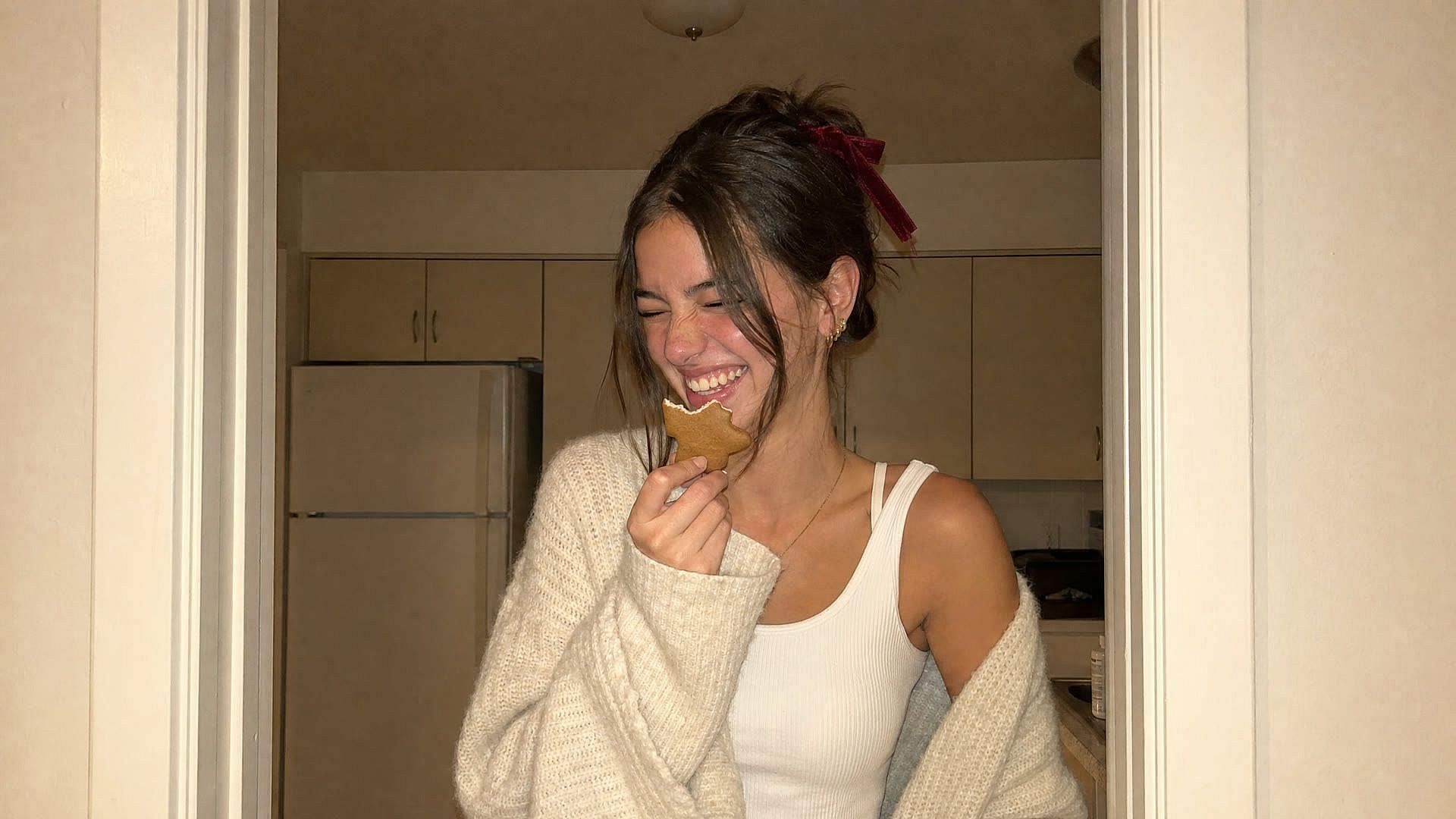
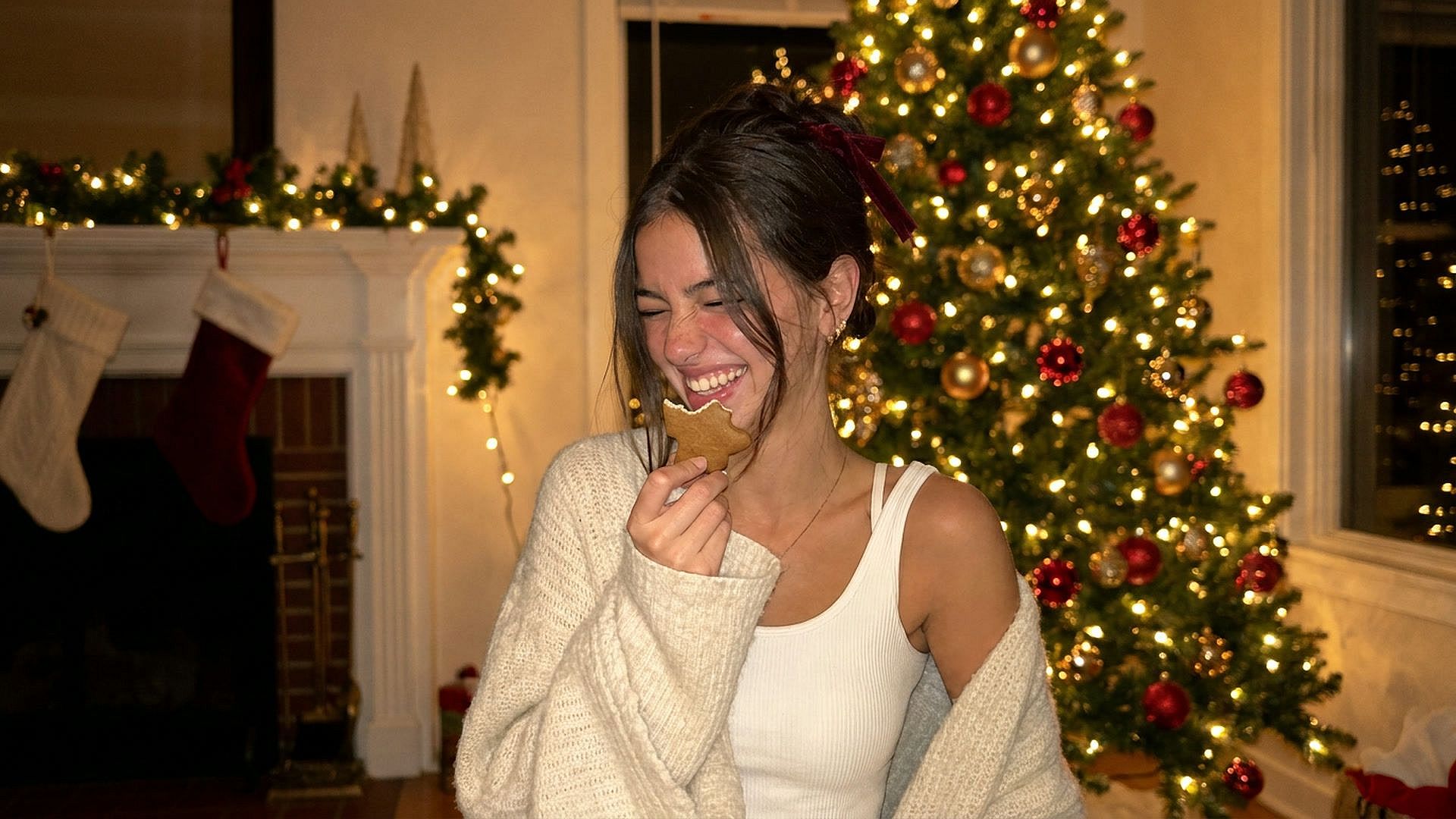
Pick Any Christmas Photo Background
OpenArt's Change Background tool works like a Christmas photo editor for everything behind your subject. Type the holiday scene, upload a picture of the look you want, or do both, and Change Background swaps it in.
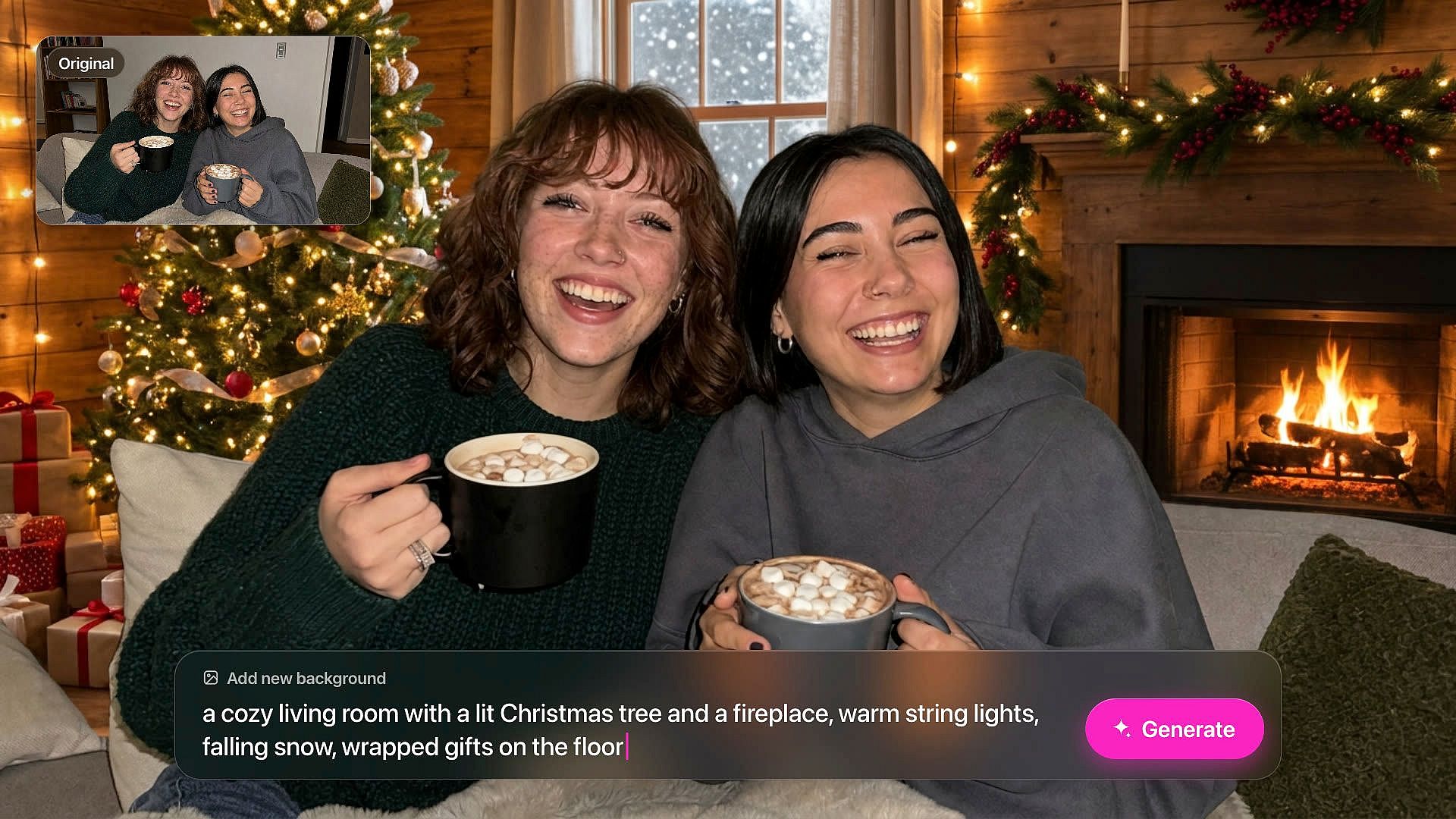
Type the Christmas scene you want
Type the background you want in plain words, like "a cozy living room with a lit Christmas tree and a fireplace." Change Background builds that scene behind the people or products in your photo. Add small details such as warm string lights, falling snow, or wrapped gifts on the floor. Anything is possible with the AI image generator.
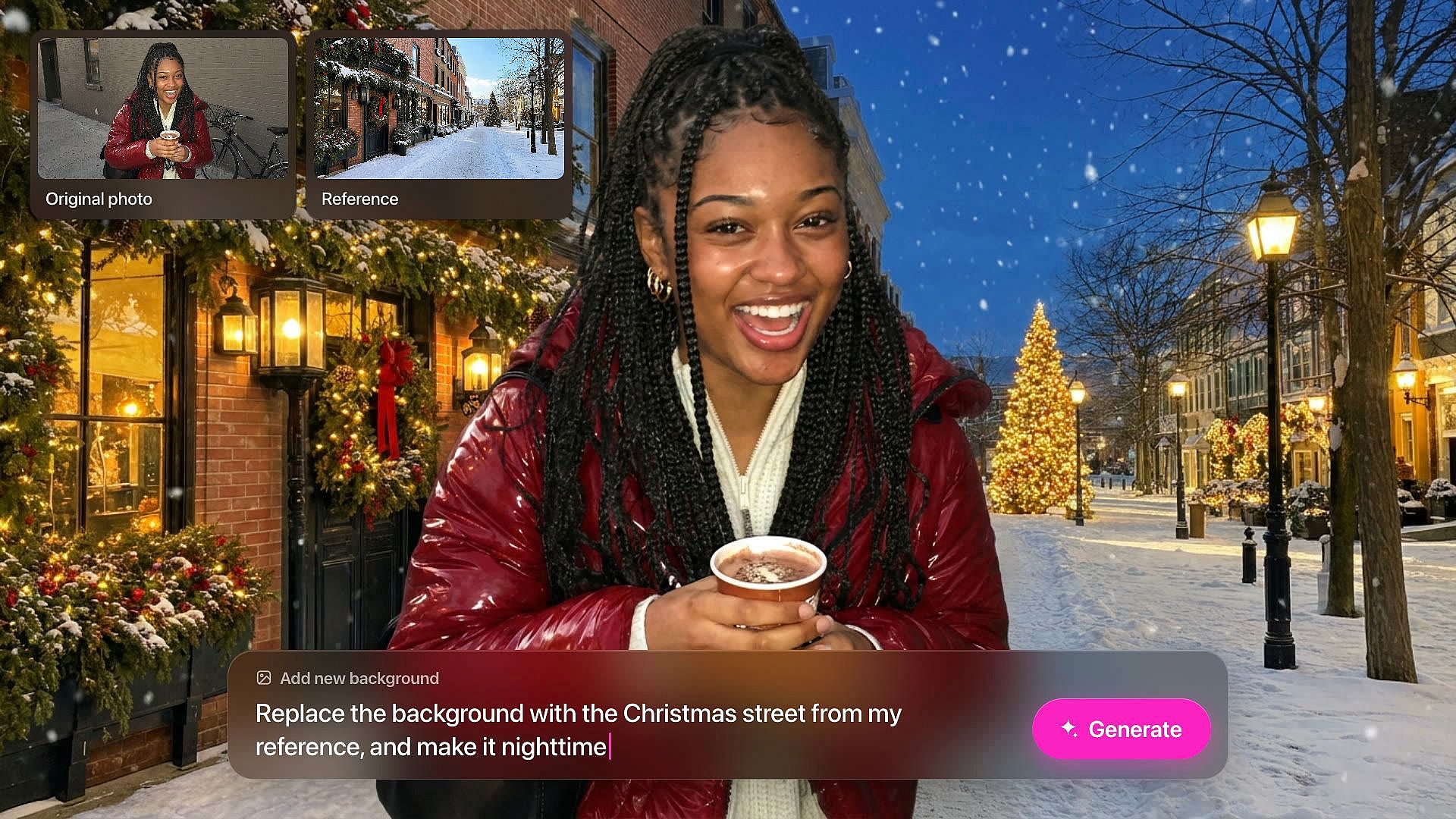
Guide the background with reference
Under Add new background, upload a reference image of the Christmas look you want. It can be your own decorated tree, your store window, or a winter market you took a picture of last year. Change Background uses that picture as a guide for the new scene behind your subject. Add a short prompt too if you want to change one detail, like making it nighttime.
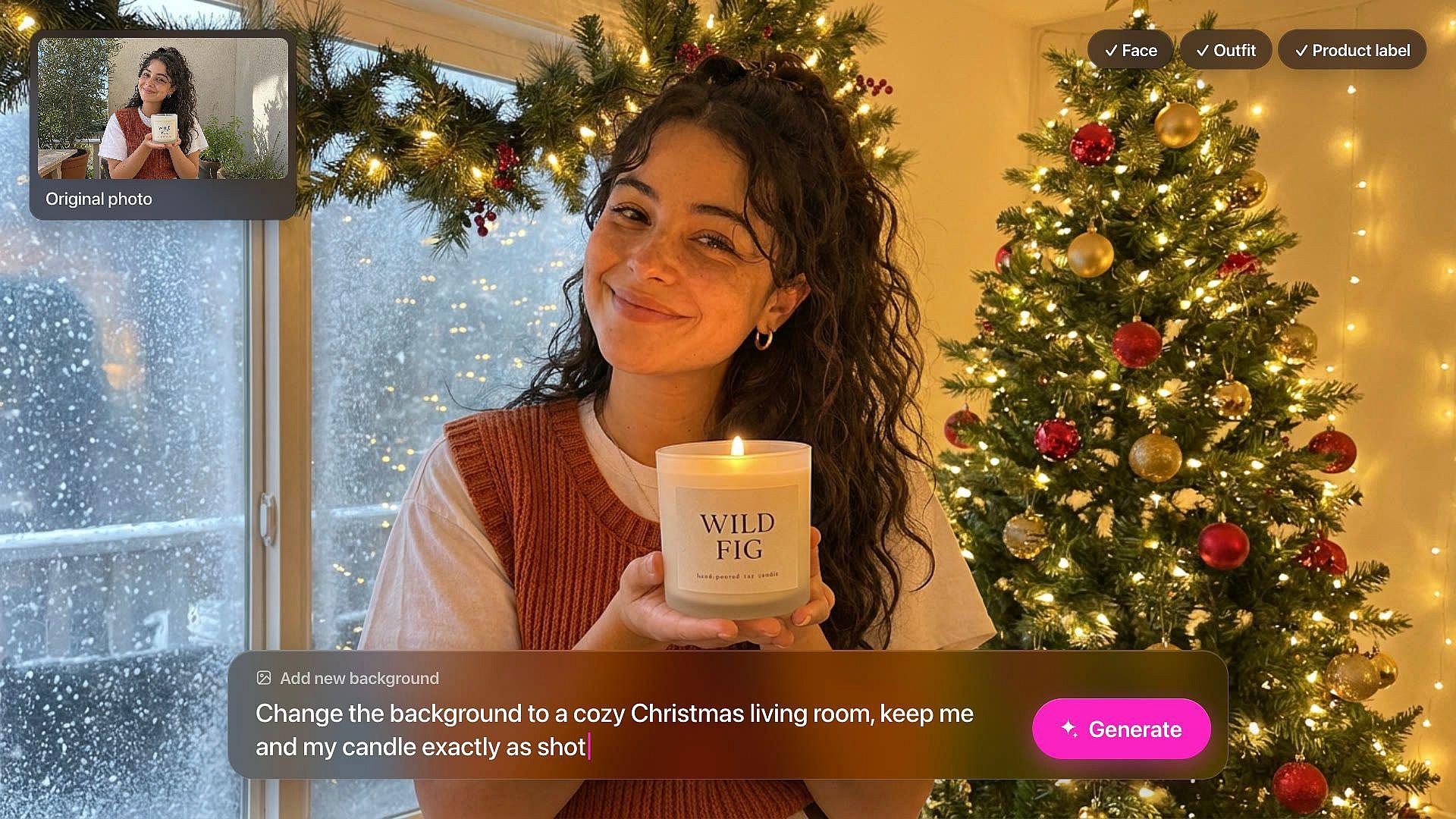
Keep your people and products as shot
Change Background keeps the subject of your photo and replaces only what sits behind it. Your family's faces and outfits stay the same, and so does the label on your product. A photo from last summer can become a Christmas background photo without a new photoshoot. Use a clear photo where the subject stands out from the old background for the cleanest result.
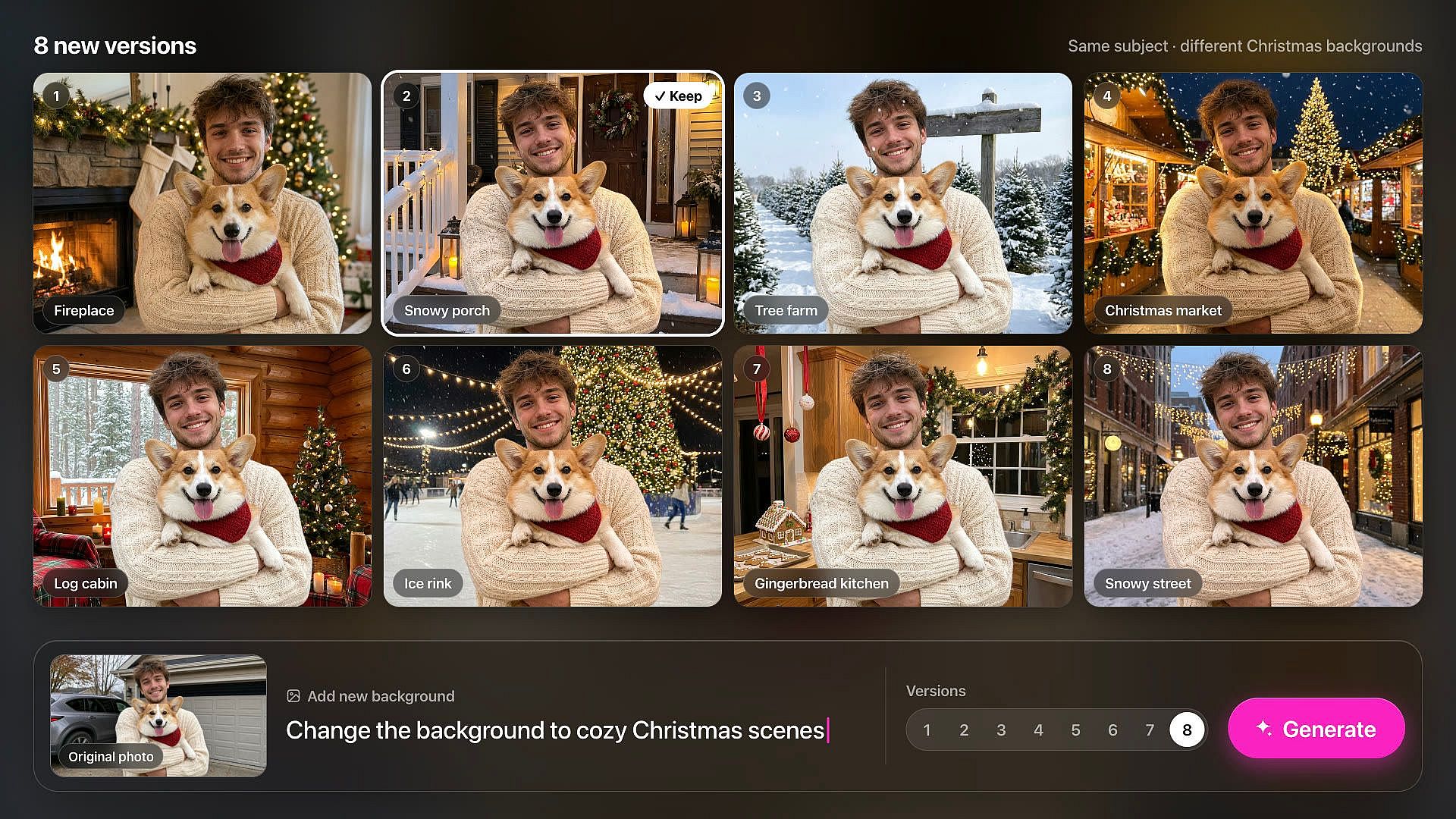
Create up to 8 new versions at once
Set the count to any number from 1 to 8 before you click 'Generate'. Each version gives you a different AI Christmas photo background behind the same subject. You can try a fireplace, a snowy porch, and a tree farm in one sitting. Keep the one that fits your card or post, or change the prompt and try again.
How to Add a Christmas Background to a Photo
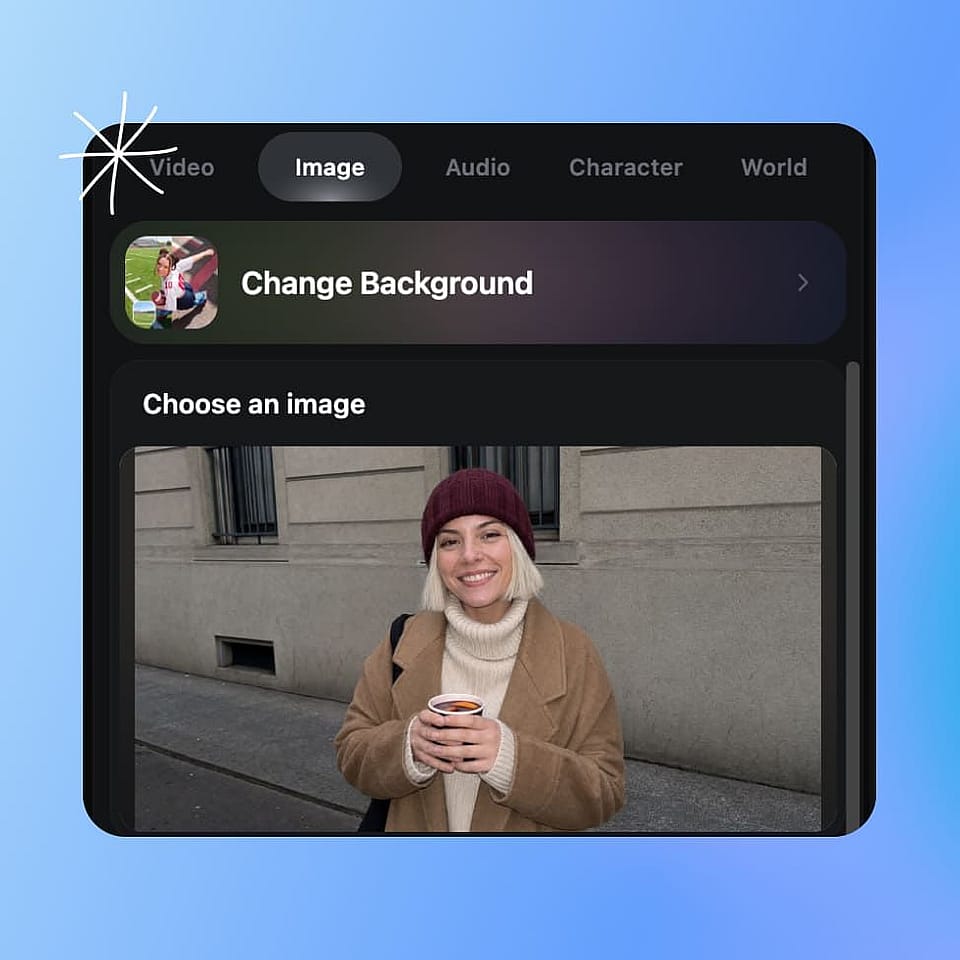
Upload your photo
Open Change Background and upload your photo under Choose an image, or pick one from History.
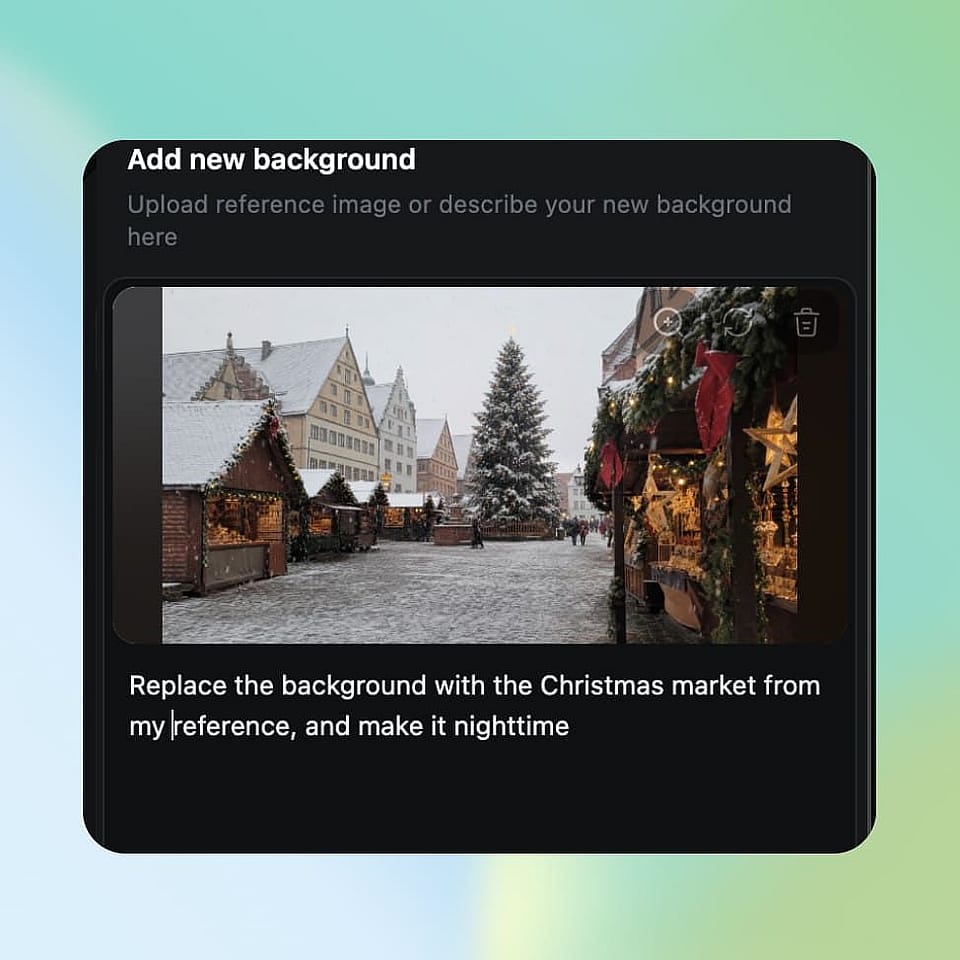
Add your Christmas background
Under Add new background, type the scene you want or upload a reference image of it. Click Enhance Prompt if you want OpenArt to add more detail.
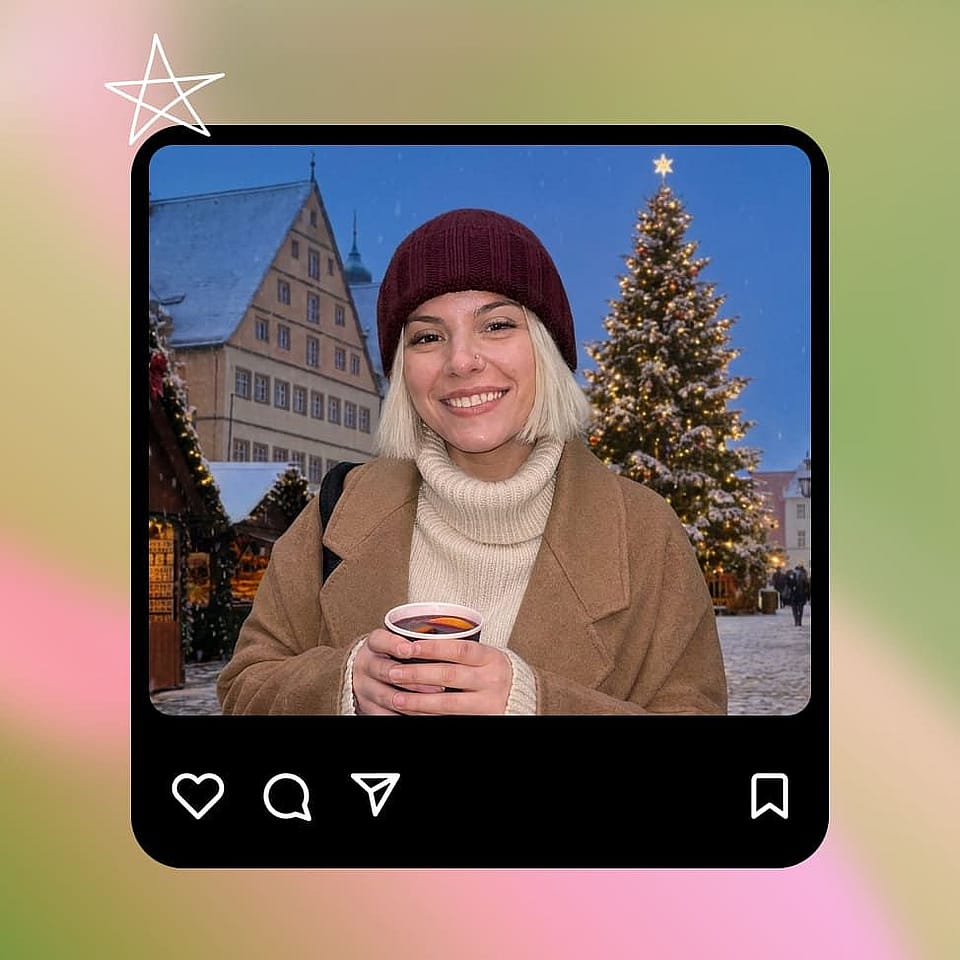
Create and download
Pick how many versions you want, from 1 to 8, and click Create. Download your favorite, or change the prompt and try again.
Best Uses for Christmas Background Changer
Making fresh Christmas images has never been this easy.
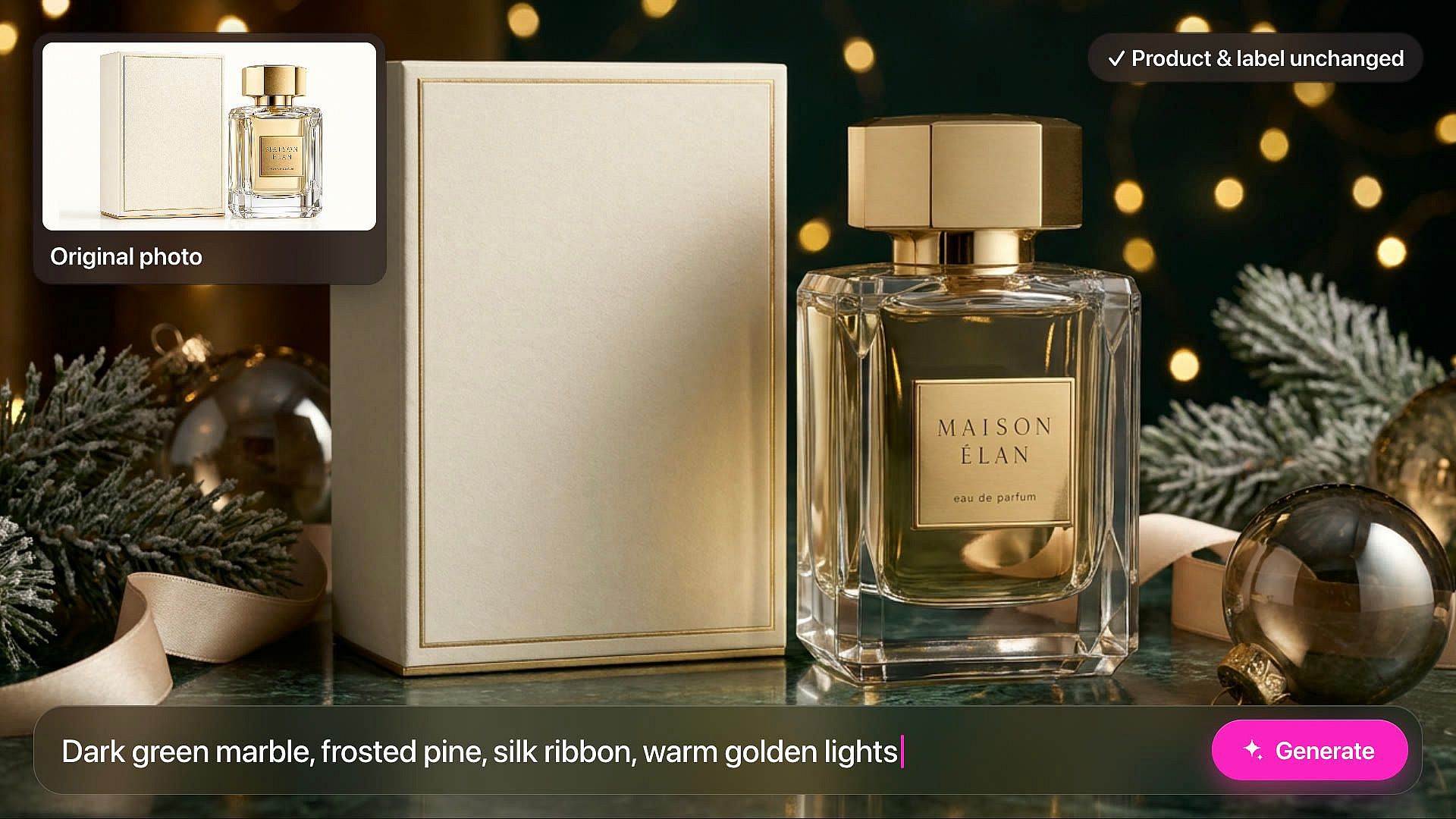
Sellers doing Christmas product photography
Online sellers use Change Background for Christmas product photography without building a holiday set. Upload a product photo on a plain background and type a scene, like a wooden table with pine branches, red ornaments, and soft candle light. Your product and its label stay the same while the scene around it turns festive. Make a new version for each week of your holiday sale and use them in listings and ads. Commercial rights apply on eligible paid plans.
Try it Now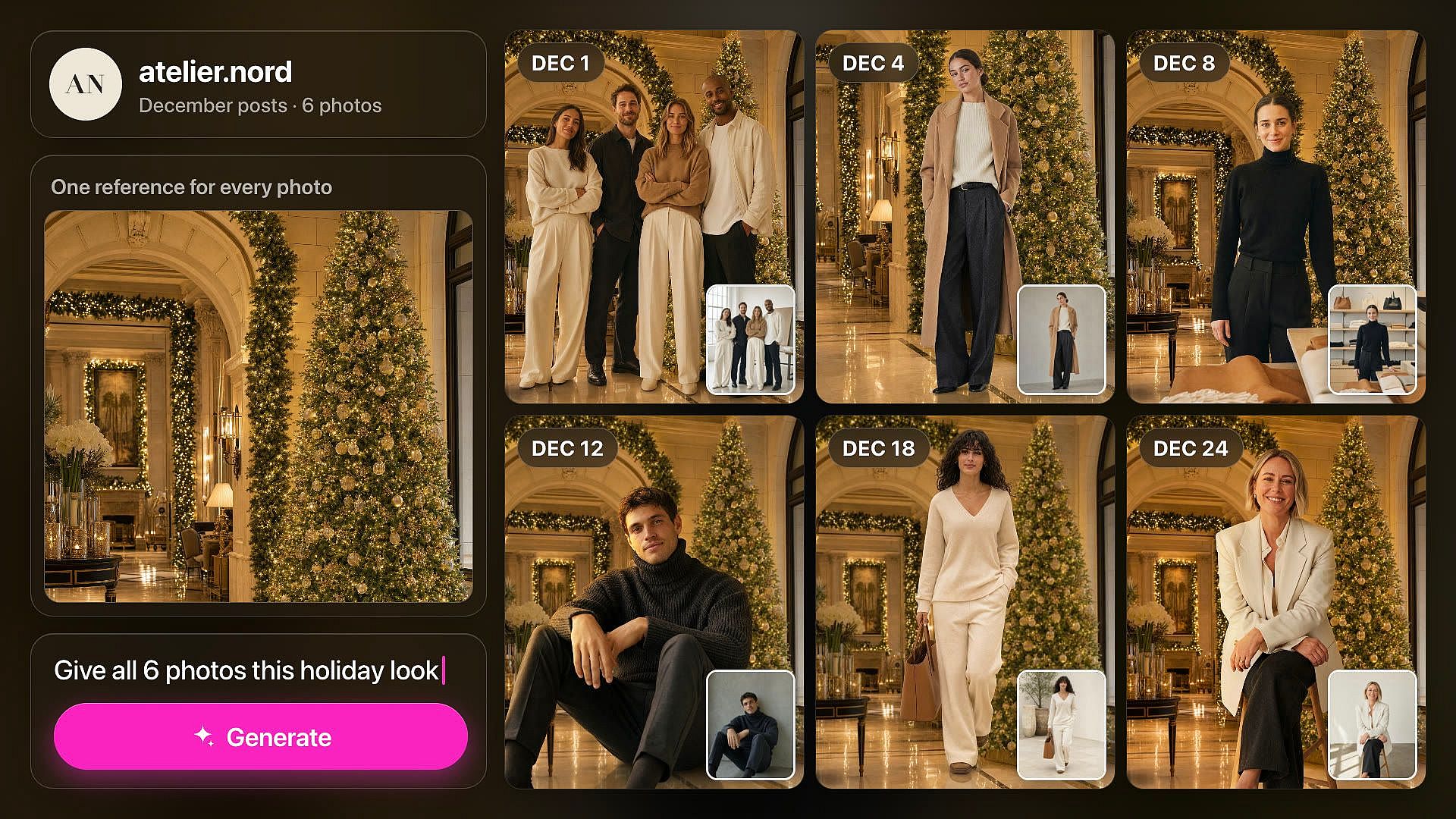
Brand and social teams refreshing holiday posts
Brand and social teams give photos they already own a Christmas look for December posts. Take a team photo, a store photo, or a model shot from earlier in the year and swap the background for a snowy street or a decorated lobby. Upload the same reference image for every photo so the whole set shares one holiday look. You fill a month of posts without booking a new shoot.
Try it Now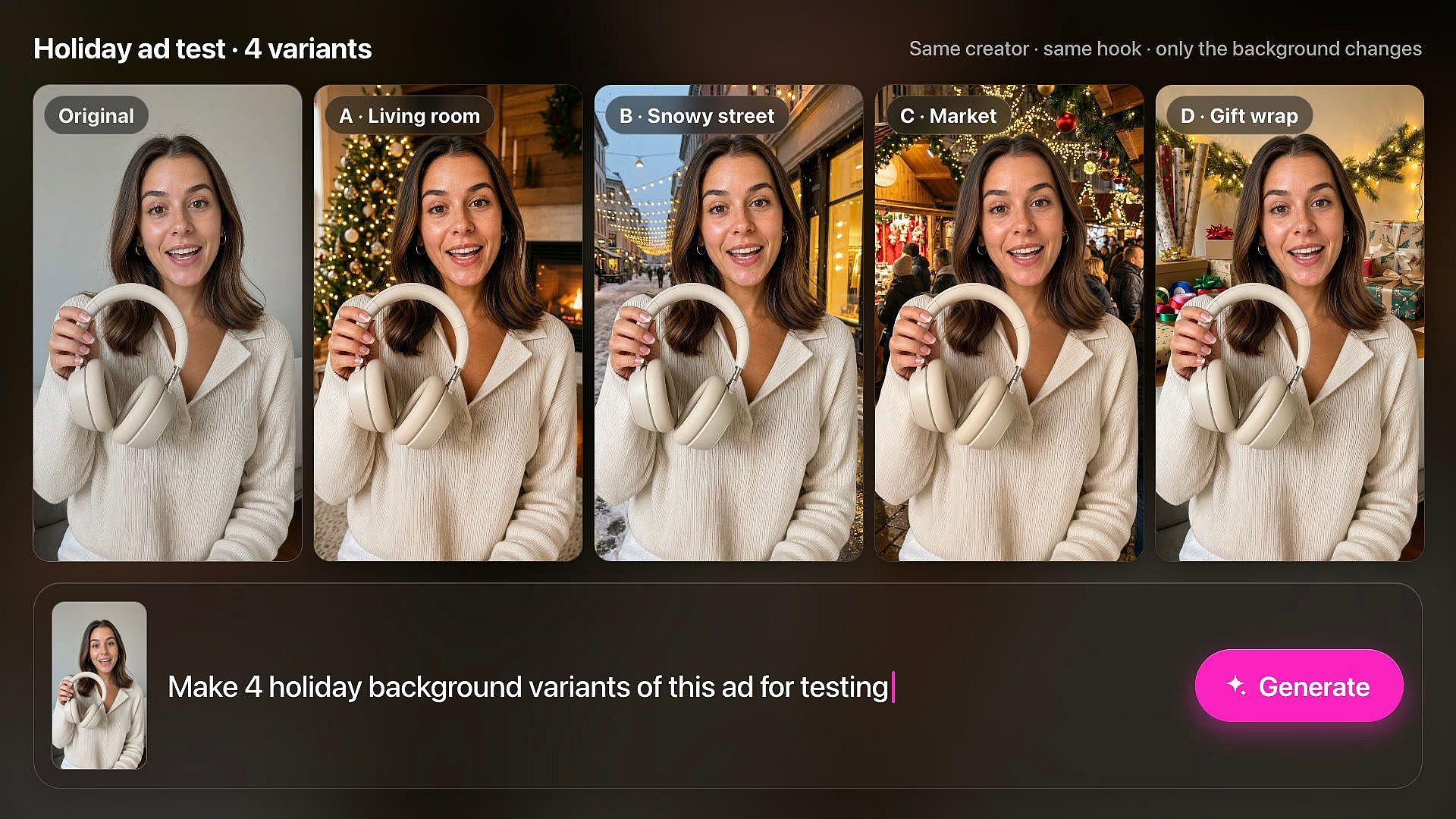
Performance marketers testing holiday ad creative
Performance marketers and creative strategists use Change Background to turn one proven ad into a full set of holiday variations for testing. Keep the same creator, product, and hook, and swap only the scene behind them, like a cozy living room, a snowy street, or a Christmas market. Because everything else stays as shot, your test measures the background and nothing else. Launch fresh December creative across paid social without booking another shoot.
Try it Now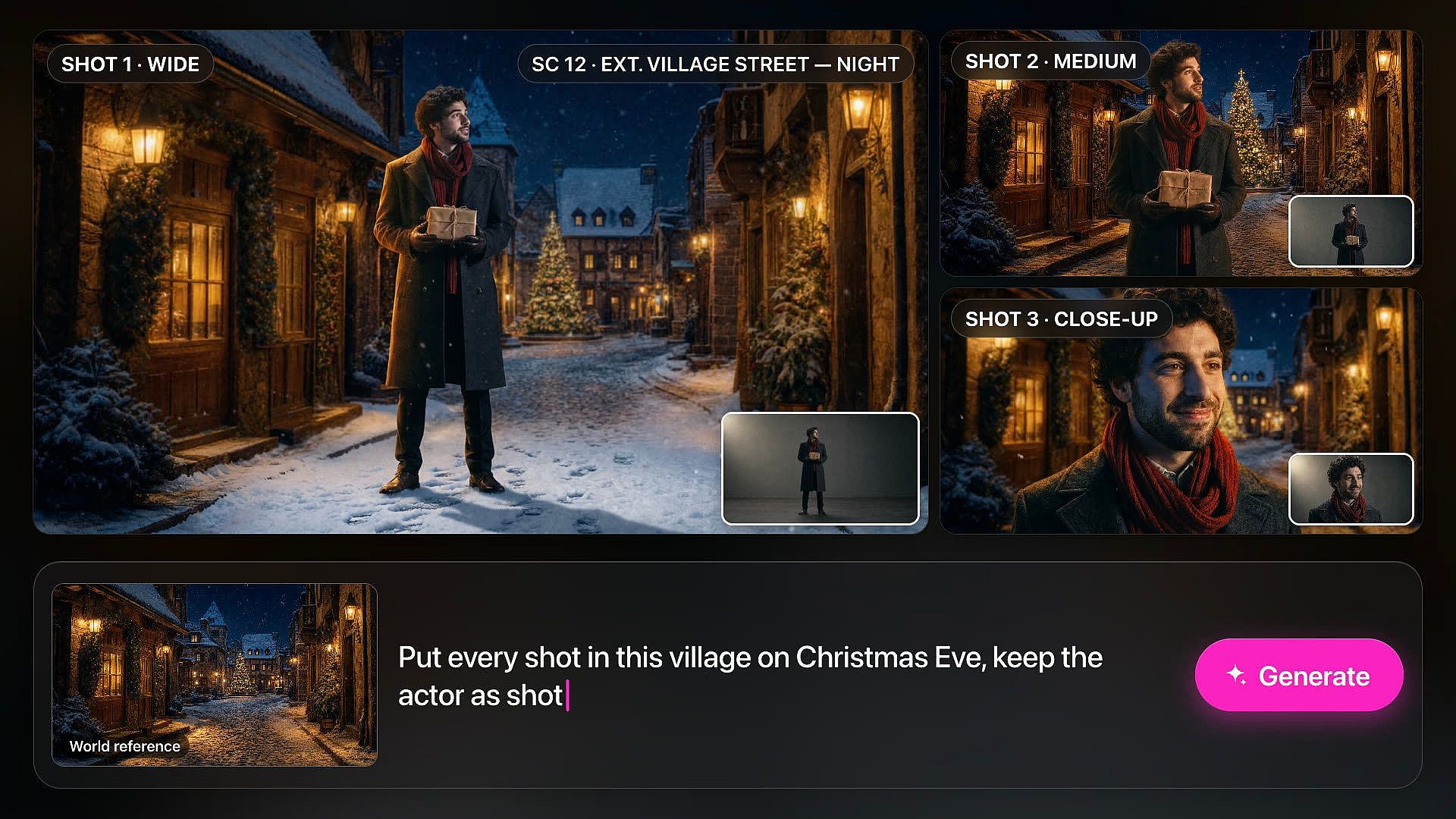
Filmmakers planning holiday scenes
Filmmakers, directors, and storyboard artists use Change Background to test a Christmas look before the shoot. Upload frames of your actor from a camera test or blocking session and place every shot in the same holiday world, like a snowy village street on Christmas Eve. Use one world reference image for every frame, so the sequence holds together from the wide shot to the close-up. Share the frames with your producer and team to agree on the look before anyone builds a set.
Try it NowFrequently Asked Questions
Open Change Background on OpenArt and upload your photo. Under Add new background, type the Christmas scene you want or upload a reference image of it. Pick how many versions to make, up to 8, and click Create. Download the one you like best.
Every new OpenArt account starts with 40 free credits, so you can try the product right away. When you're ready to create more, paid plans add monthly credits and watermark-free downloads. See current plans on the OpenArt pricing page.
Yes. Under Add new background, upload a picture of the Christmas scene you want as a reference image. Change Background uses it as a guide for the new background, and you can add a short prompt to change details. Only upload pictures you have the rights to use.
Yes. Upload your product photo and describe a holiday setting, like a table with pine branches and wrapped gifts, or a shelf with fairy lights. Change Background keeps your product and its label and builds the Christmas scene around it. This works well for holiday listings, ads, and gift guides.
Yes. OpenArt runs in your web browser, so you can open Change Background on your phone. Upload a photo from your camera roll, type the scene, and download the result to your phone.
An AI Christmas background is a holiday scene that AI creates behind the subject of your photo. You keep the people, pets, or products from your picture, and the AI swaps the old background for a Christmas tree, a fireplace, or a snowy street. OpenArt does this with its Change Background tool, which is also the AI Background Changer for any other scene.
Change Background keeps the subject of your photo and replaces the scene behind it. A clear photo where the person stands out from the old background gives the cleanest result. If a version looks off, adjust your prompt or create again.
Popular Christmas photo background ideas include a living room with a lit tree, a fireplace with stockings, a snowy front porch, a Christmas market at night, and a tree farm in winter. Name the light you want too, like warm string lights or soft morning snow. Make several versions at once and compare them side by side.
After you add the Christmas background, open the AI Image Extender and pick a new size. Choose a ratio like 2:3 or 9:16, or a Social Media preset like Instagram Story. The AI Image Extender adds more of the scene around the edges and leaves your original picture untouched.
Commercial rights apply on eligible OpenArt paid plans. Check OpenArt's terms of use before you run the images in ads or on products. Make sure you have the rights to every photo you upload, including pictures of other people.
Loved by Creators Worldwide
See what our community has to say
I've tried many AI platforms… but OpenArt is still the best for character creation, image-to-video quality, and the variety of models available.
OpenArt offers an excellent array of AI tools… once you learn the features, the creative possibilities are amazing - and their support team is outstanding.
OpenArt is a very versatile AI platform with many image and video models, consistent character creation, and powerful editing tools.
Helpful AI tools all in one place - image and video generation, editing, and more… no need for multiple subscriptions.
Customer service is always quick and helpful… and the platform keeps getting better with new features and tools.
I've tried many AI platforms… but OpenArt is still the best for character creation, image-to-video quality, and the variety of models available.
OpenArt offers an excellent array of AI tools… once you learn the features, the creative possibilities are amazing - and their support team is outstanding.
OpenArt is a very versatile AI platform with many image and video models, consistent character creation, and powerful editing tools.
Helpful AI tools all in one place - image and video generation, editing, and more… no need for multiple subscriptions.
Customer service is always quick and helpful… and the platform keeps getting better with new features and tools.
I've tried many AI platforms… but OpenArt is still the best for character creation, image-to-video quality, and the variety of models available.
OpenArt offers an excellent array of AI tools… once you learn the features, the creative possibilities are amazing - and their support team is outstanding.
OpenArt is a very versatile AI platform with many image and video models, consistent character creation, and powerful editing tools.
Helpful AI tools all in one place - image and video generation, editing, and more… no need for multiple subscriptions.
Customer service is always quick and helpful… and the platform keeps getting better with new features and tools.
With so many AI platforms out there, OpenArt stood out as a stellar choice - I'd recommend it to any creator.
This platform includes everything you need for AI content creation - images, video, characters, audio, and multiple AI models in one place.
OpenArt is pushing the boundaries of AI video creation… and it's clear the team is committed to improving the creator experience.
I made my first AI music video with OpenArt… and their support team was the best help I've ever experienced.
I'm very happy with the support - my issue was resolved quickly and the team made the process easy.
With so many AI platforms out there, OpenArt stood out as a stellar choice - I'd recommend it to any creator.
This platform includes everything you need for AI content creation - images, video, characters, audio, and multiple AI models in one place.
OpenArt is pushing the boundaries of AI video creation… and it's clear the team is committed to improving the creator experience.
I made my first AI music video with OpenArt… and their support team was the best help I've ever experienced.
I'm very happy with the support - my issue was resolved quickly and the team made the process easy.
With so many AI platforms out there, OpenArt stood out as a stellar choice - I'd recommend it to any creator.
This platform includes everything you need for AI content creation - images, video, characters, audio, and multiple AI models in one place.
OpenArt is pushing the boundaries of AI video creation… and it's clear the team is committed to improving the creator experience.
I made my first AI music video with OpenArt… and their support team was the best help I've ever experienced.
I'm very happy with the support - my issue was resolved quickly and the team made the process easy.
Get Insights from Experts Blog
Get the insights you need. Our experts share actionable hacks, break down the hottest topics, and provide essential how-to guides to help you create, optimize, and scale.
Read More