GPT Image 2.0 AI Image Generator — COMING SOON
Generate high-quality visuals with near-perfect text, consistent details, and up to 4x faster iteration speeds with GPT Image 2.0 on OpenArt.

Community Creations
See how creators are generating ad creatives, UI mockups, and product visuals with readable text, structured layouts, and consistent features.
Near-Perfect Text Rendering
GPT Image 2.0 generates visuals with text that doesn’t mutate or break unlike in other AI image models. In fact, this AI model achieves ~99% text rendering accuracy in common scenarios. This makes GPT Image 2.0 highly effective for advertising, product marketing, branded content, and UI/UX design. Moreover, this means that you save time and effort on post-generation edits or iterations, and even if they are required, GPT Image 2.0 is amazingly precise and consistent with editing images based on your prompts.
Try it NowUp to 4× Faster Generation & Iteration
Standard generations with the GPT Image 2.0 are up to 4x faster than its predecessor GPT Image 1.5. This lets you generate images significantly faster. The best part is that faster speeds do not mean loss in quality – in reality, GPT Image 2.0 delivers both higher quality and faster speeds at the same time as compared to previous image models. Its faster speed is also evident in image editing, where making changes to already generated images takes only seconds!
Try it NowPrecision Editing Without Regeneration
Older AI image models used to regenerate major parts of the image or alter some features when applying edits. With GPT Image 2.0, that problem doesn’t exist anymore. OpenArt offers region selection when editing images so you can make highly accurate edits when you make changes on our platform. You can precisely change the color of some hair streaks, or change the buttons on a shirt, simply by highlighting those areas and explaining your desired changes in the text prompts. This enables multi-step edits without quality degradation.
Try it NowHow to Use GPT Image 2.0
Generate or edit images with GPT Image 2.0 on OpenArt in three simple steps.
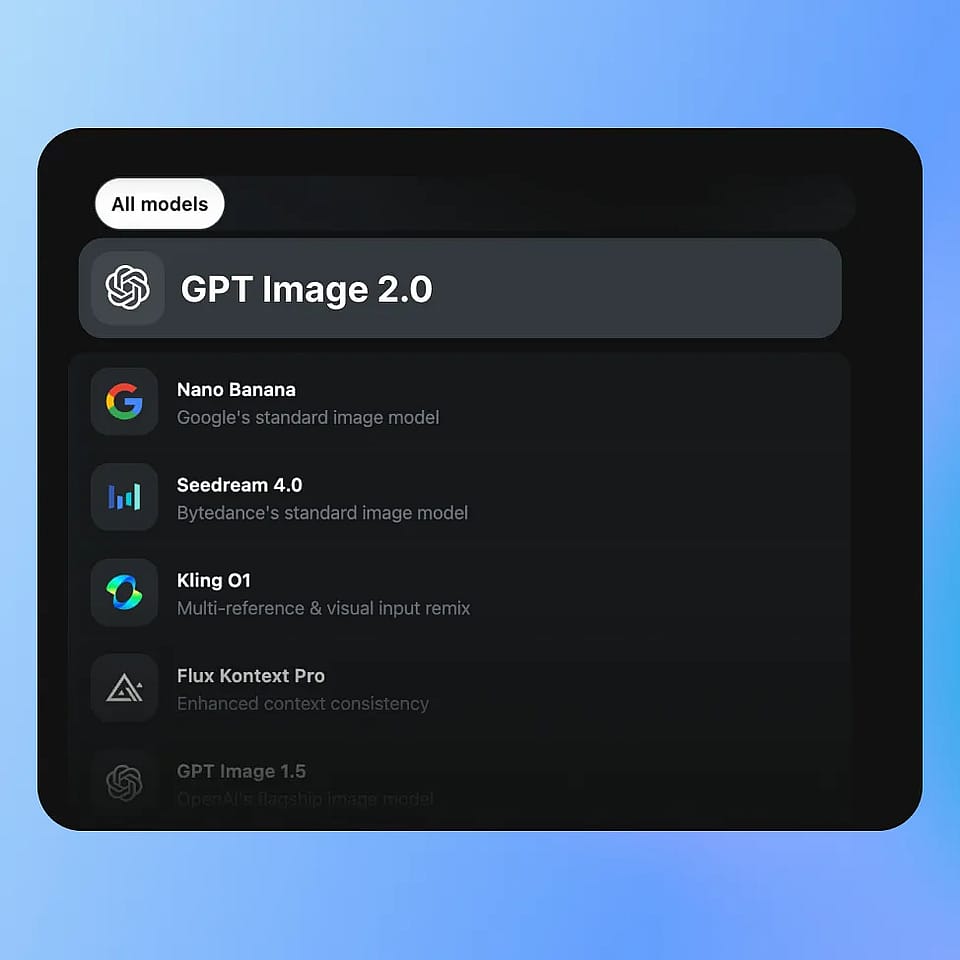
Choose Your Model
Go to OpenArt’s Image tools and select your mode: Create Image, Edit Image, or Image Variations, then choose GPT Image 2.0 from the available models.
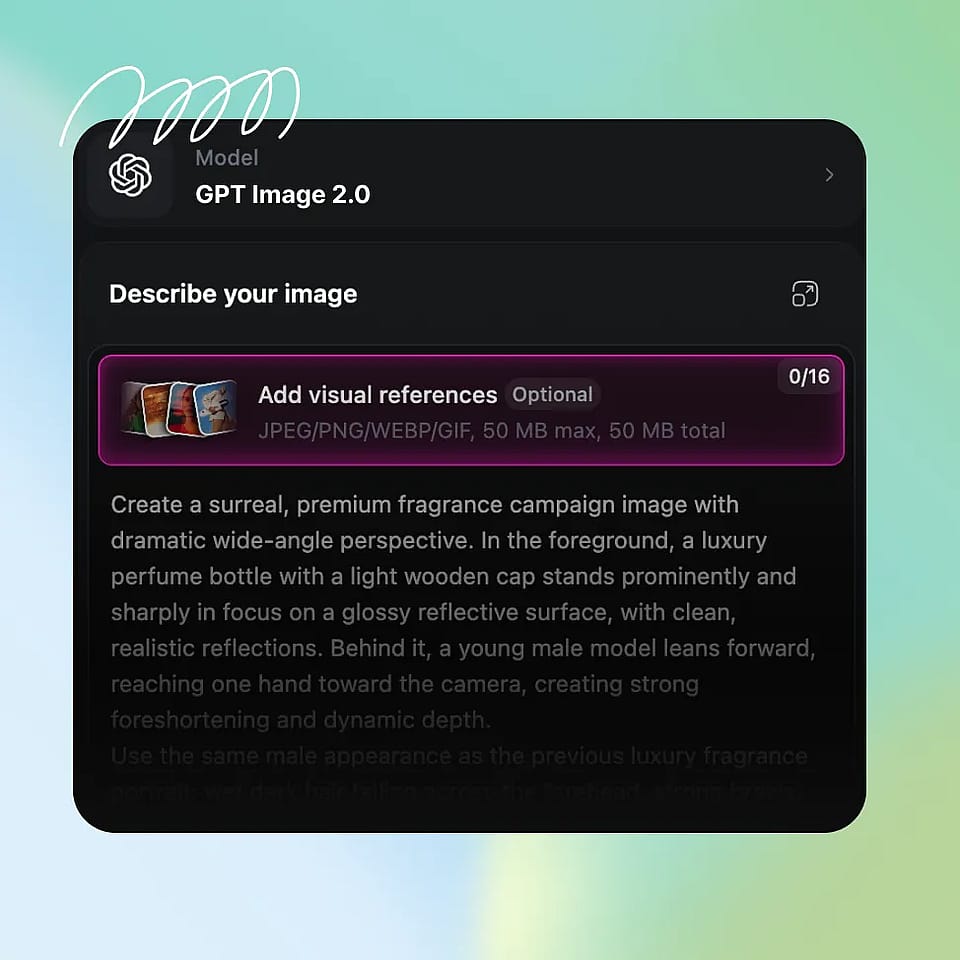
Write Your Prompt
Describe your image with clear details: subject, composition, lighting, and any text or layout elements you want included. You can also upload reference images for better control.
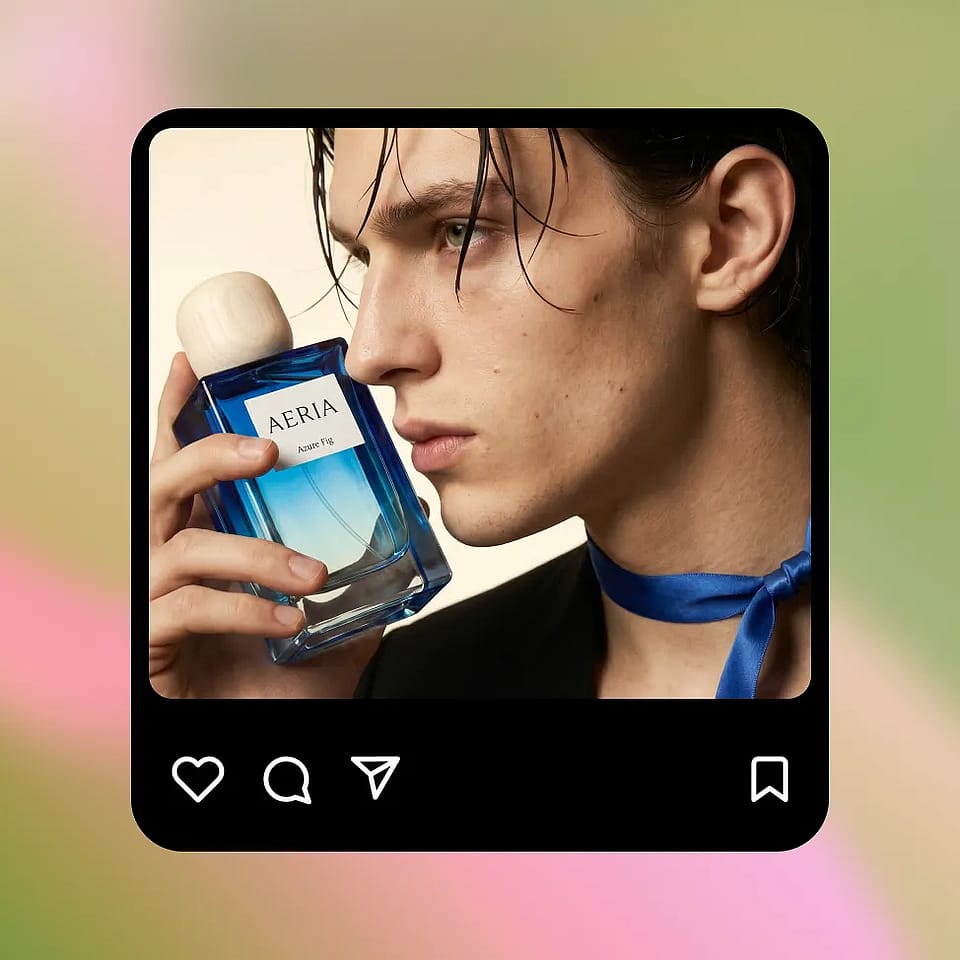
Generate and Iterate
Select your resolution and aspect ratio, then generate your image. Use targeted edits or small prompt adjustments to refine the output while preserving consistency.
GPT Image 2.0 is Built to Give You Highest Quality Outputs – Faster and Cheaper
Create marketing visuals, product images, UX mockups, and fun edits with accurate text, consistent visuals, and fast, controlled iterations.
Marketing Creatives with Real Copy
Create ad banners and social posts that already include usable text instead of placeholder gibberish. You can ask for a clear headline, short supporting line, and a button, and the model places them in a logical order. For example, a simple product ad can include a readable headline at the top, a product image in the center, and a call-to-action at the bottom. If you want to test variations, you can change only the headline or button text and keep everything else the same. This makes it easy to create multiple versions of the same ad without rebuilding the layout each time.
Try it NowPersonal Edits and Fun Transformations
GPT Image 2.0 also works great for more casual, creative use like transforming selfies or generating stylized edits. You can upload a photo and ask for changes like a new background, different lighting, or a themed look, and the model will keep your face and key details consistent. For example, you can turn a normal selfie into a cinematic portrait, a studio-style headshot, or place yourself in a completely different setting. You can also experiment with celebrity-style edits or visual mashups while keeping the image coherent. Because edits are targeted, you can keep refining the same image instead of starting over each time.
Try it NowProduct Marketing Visuals at Scale
You can create product images in different settings while keeping the product itself consistent. Start with a clean studio shot, then place the same product in a kitchen, outdoors, or in a lifestyle scene. The shape, color, and branding stay stable across changes, so the product does not get distorted as you iterate. This is useful when you need multiple images for a product page or campaign but do not want to organize a full photoshoot. You can also test different lighting or backgrounds quickly, and keep refining the same image instead of generating a completely new one each time.
Try it NowUI/UX Screens and Structured Imagery
GPT Image 2.0 can generate simple app screens and layouts with readable labels and clear structure. If you describe a screen with a title at the top, content in the middle, and a button at the bottom, the model follows that layout instead of placing elements randomly. Text like “Balance” or “Send Money” appears clearly and in the right place. You can then update specific parts, like changing button text or adding a new section, without affecting the rest of the screen. This makes it useful for quickly visualizing ideas before moving into a proper design tool.
Try it NowTips for Best Results With GPT Image 2.0
Specify layout, not just style
Structured prompts (e.g., “header + product + CTA”) improve output reliability and reduce iteration time.
Use edits to save time
Targeted edits regenerate only changed regions, making iteration faster and more efficient.
Keep text concise for best accuracy
Short, clear text yields near-perfect rendering and avoids layout distortion.
Iterate in controlled steps
Smaller edits preserve consistency and maintain quality across versions.
Frequently Asked Questions
How much faster is GPT Image 2.0 compared to earlier models?
How accurate is text generation inside images?
Does it improve image quality and realism?
Can it handle complex shots?
What makes it different from other AI image generators?
Get Insights from Our Blog
Get the insights you need. Our experts share actionable hacks, break down the hottest topics, and provide essential how-to guides to help you build, optimize, and scale.
View All
Loved by Creators
I've tried many AI platforms... but OpenArt is still the best for character creation, image-to-video quality, and the variety of models available.
OpenArt offers an excellent array of AI tools... once you learn the features, the creative possibilities are amazing - and their support team is outstanding.
OpenArt is a very versatile AI platform with many image and video models, consistent character creation, and powerful editing tools.
Helpful AI tools all in one place - image and video generation, editing, and more... no need for multiple subscriptions.
Customer service is always quick and helpful... and the platform keeps getting better with new features and tools.
I've tried many AI platforms... but OpenArt is still the best for character creation, image-to-video quality, and the variety of models available.
OpenArt offers an excellent array of AI tools... once you learn the features, the creative possibilities are amazing - and their support team is outstanding.
OpenArt is a very versatile AI platform with many image and video models, consistent character creation, and powerful editing tools.
Helpful AI tools all in one place - image and video generation, editing, and more... no need for multiple subscriptions.
Customer service is always quick and helpful... and the platform keeps getting better with new features and tools.
I've tried many AI platforms... but OpenArt is still the best for character creation, image-to-video quality, and the variety of models available.
OpenArt offers an excellent array of AI tools... once you learn the features, the creative possibilities are amazing - and their support team is outstanding.
OpenArt is a very versatile AI platform with many image and video models, consistent character creation, and powerful editing tools.
Helpful AI tools all in one place - image and video generation, editing, and more... no need for multiple subscriptions.
Customer service is always quick and helpful... and the platform keeps getting better with new features and tools.
With so many AI platforms out there, OpenArt stood out as a stellar choice - I'd recommend it to any creator.
This platform includes everything you need for AI content creation - images, video, characters, audio, and multiple AI models in one place.
OpenArt is pushing the boundaries of AI video creation... and it's clear the team is committed to improving the creator experience.
I made my first AI music video with OpenArt... and their support team was the best help I've ever experienced.
I'm very happy with the support - my issue was resolved quickly and the team made the process easy.
With so many AI platforms out there, OpenArt stood out as a stellar choice - I'd recommend it to any creator.
This platform includes everything you need for AI content creation - images, video, characters, audio, and multiple AI models in one place.
OpenArt is pushing the boundaries of AI video creation... and it's clear the team is committed to improving the creator experience.
I made my first AI music video with OpenArt... and their support team was the best help I've ever experienced.
I'm very happy with the support - my issue was resolved quickly and the team made the process easy.
With so many AI platforms out there, OpenArt stood out as a stellar choice - I'd recommend it to any creator.
This platform includes everything you need for AI content creation - images, video, characters, audio, and multiple AI models in one place.
OpenArt is pushing the boundaries of AI video creation... and it's clear the team is committed to improving the creator experience.
I made my first AI music video with OpenArt... and their support team was the best help I've ever experienced.
I'm very happy with the support - my issue was resolved quickly and the team made the process easy.
Create without limits
Join millions of creators using OpenArt to generate images, videos, characters, and stories - all in one platform.
Get Started for Free →